Praefic
Azure posture & governance — see it, own it, clear it.
Praefic continuously scans your Azure tenants with read-only access, turns what it finds into owned, tracked findings, and shows whether your estate is getting better or worse. Where Azure Advisor and Defender for Cloud give you a list that resets every day, Praefic keeps the record: who looked at what, what was accepted and until when, what was fixed — and what came back.
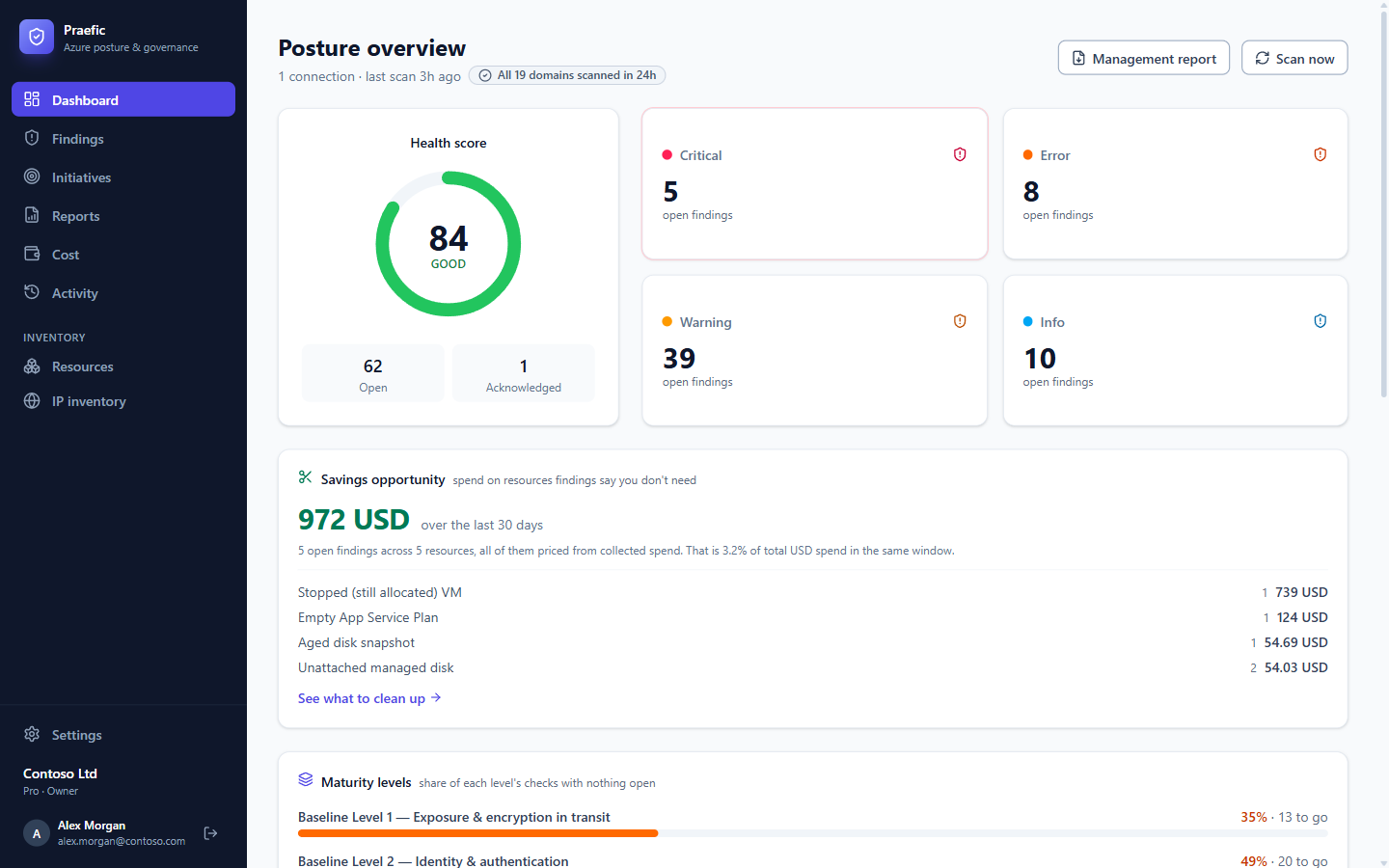
What Praefic does
- Scans 19 areas of Azure — network exposure, Azure Advisor, orphaned resources, Key Vault, Defender for Cloud, RBAC, Privileged Identity Management, backup, resource inventory and tagging, storage, virtual machines, App Services, databases, AKS, Container Registry, Container Apps, cost and budgets, the Activity Log, and AI model lifecycle.
- Keeps every finding with its history. A re-scan updates what Praefic already knows: fixed findings resolve themselves, findings that come back are reopened and flagged, and your acknowledgements, assignments and exceptions survive.
- Shows each problem once. Where an Advisor recommendation restates one of Praefic's own checks on the same resource, it is filed under Duplicates rather than counted twice.
- Turns findings into work. Assign findings to people or groups, group them into initiatives with a burndown, and hand them to suppliers who don't use Praefic.
- Records deliberate deviations properly. Exceptions carry a reason, an owner and an expiry date — approved in the app, or declared as an Azure tag on the resource itself.
- Gives you a target you can reach. Maturity levels (Level 1, 2, 3) measure progress against the checks you agreed matter, with history from the day you started scanning.
- Puts cost next to the risks. Daily spend per resource, budgets, spikes, and waste priced from your actual bill.
- Answers per business solution. Solutions group resources into the webshop, the data platform, the order system — from the tags you already have — each with its owner, spend, findings, maturity stage and a report written for that owner.
- Explains who changed what. The Activity section reads the Azure Activity Log so a finding shows the change behind it — and the pipeline that keeps putting a fix back.
Read-only by design
Praefic uses a multi-tenant app (Praefic Scanner) that you consent to once, plus Azure's built-in Reader role on the subscriptions you choose. It holds no write permissions and never changes anything in your tenant. Every fix stays in your hands.
Getting started
- Sign in with your Microsoft work account — your organization is created automatically.
- Connect your Azure tenant: admin consent, Reader role, verify. See On-boarding.
- Praefic scans every enabled subscription and keeps scanning on a schedule.
- Triage your findings, set up alerts, and start your first initiative.
Documentation
| Guide | What it covers |
|---|---|
| On-boarding | Connecting a tenant, permissions, first scan, removing sample data |
| Findings & triage | The findings list, the workbench, owners and remediation status |
| Initiatives | Remediation projects with scope, owners, burndown and hand-off documents |
| Maturity levels | Building a Level 1 → 3 baseline and tracking progress |
| Exceptions | Approved deviations, in the app or as Azure tags |
| Solutions | Business solutions, services and environments — cost, findings, maturity and an owner report per solution |
| Cost | Spend explorer, spikes, budgets and savings opportunities |
| Activity | Who changes what, failures, privileged access and drift |
| Reports & alerts | Management report, expiry calendar, notification channels |
| Settings | Roles, connections, rules, organization options, notifications, users and groups |
| FAQ | Permissions, data, licensing and common questions |
Support
For questions or support, contact us at support@just-software.com.