Cost
Praefic collects your daily Azure spend per resource with the same Reader access it uses for everything else, and puts it next to the governance findings on the same resources.
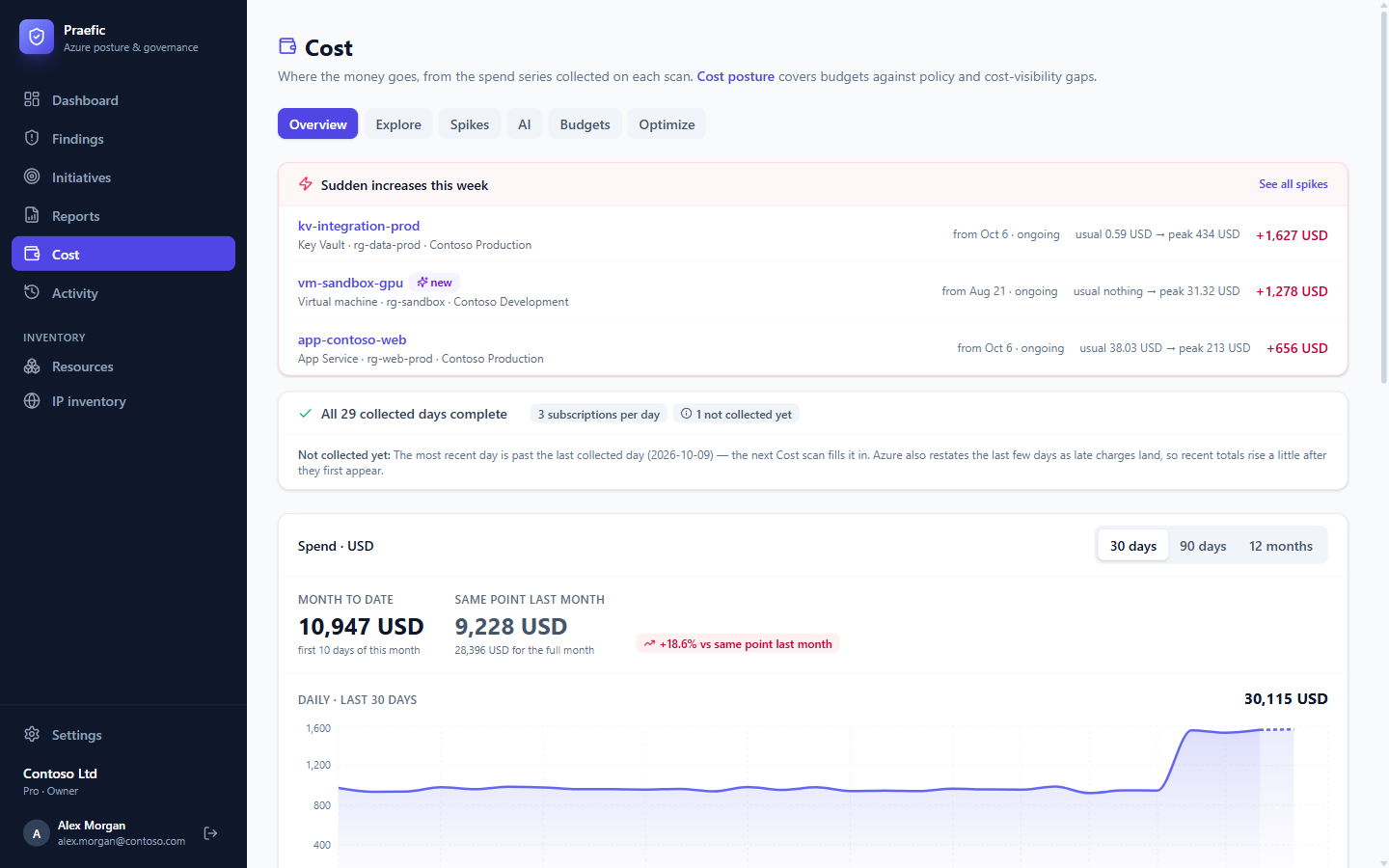
Overview
Month-to-date spend compared with the same point last month, the daily series, and spend by month. A coverage line at the top says which days have been collected; the most recent days are drawn as still being metered, because Azure keeps adding late charges for a few days after each day ends.
Spend is shown in each subscription's own billing currency. Subscriptions billed in different currencies are shown side by side and never added together.
Explore
Drill from subscription → resource group → resource, or regroup by service or resource type at any level. Every view is a link you can bookmark and share. A resource's own spend history is also available from its detail view anywhere in Praefic.
Spikes
Praefic compares each resource with its own recent spend — the median of its previous 14 settled days — not with the estate as a whole. A Key Vault going from a few cents to hundreds a day stands out even when it is nowhere near your top spenders.
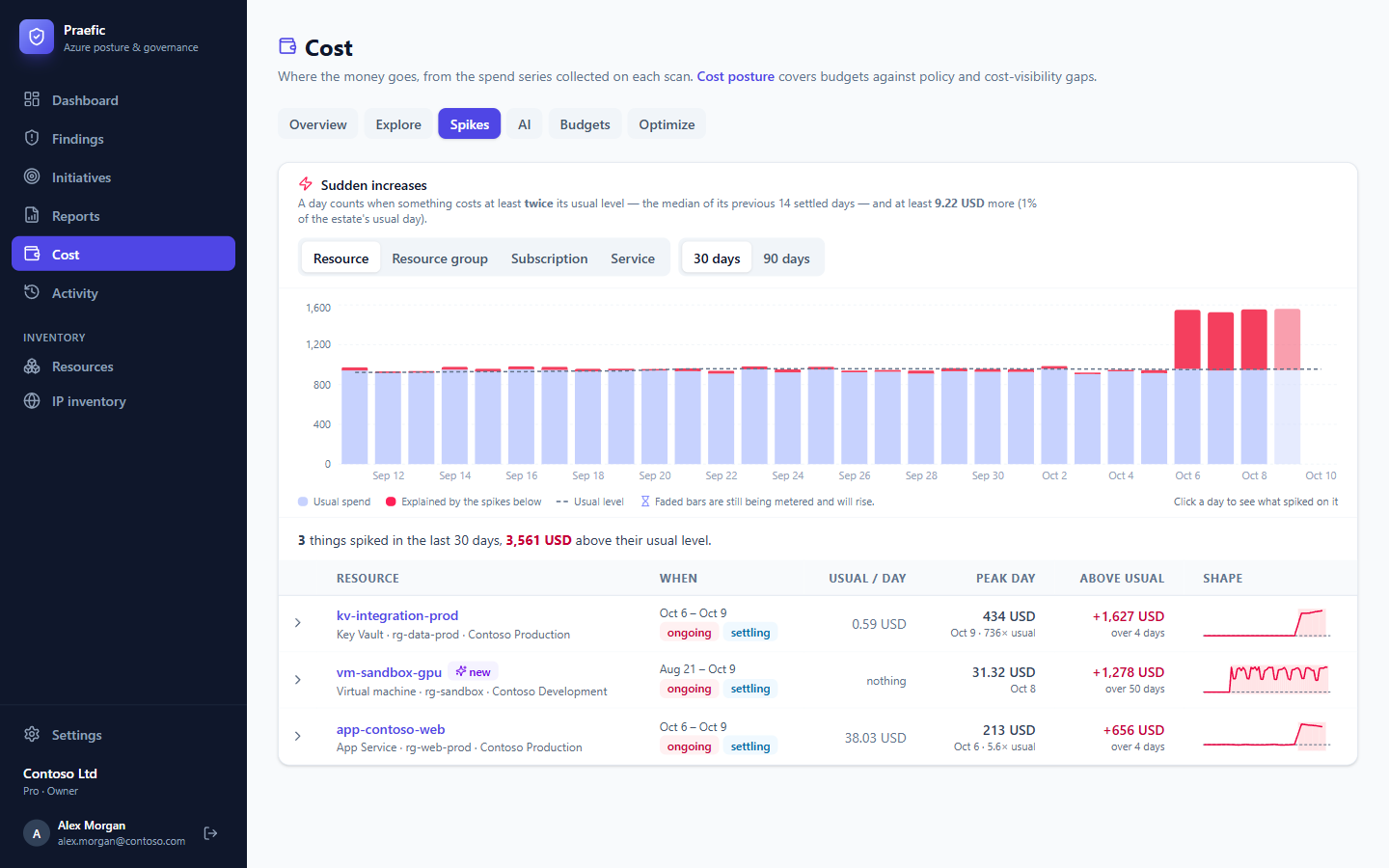
Group spikes by resource, resource group, subscription or service. Click a day to see what spiked on it.
Budgets
Every budget in your subscriptions, with spend against its limit, forecast, the alerts that are configured and who they notify — and the alerts Azure actually raised.
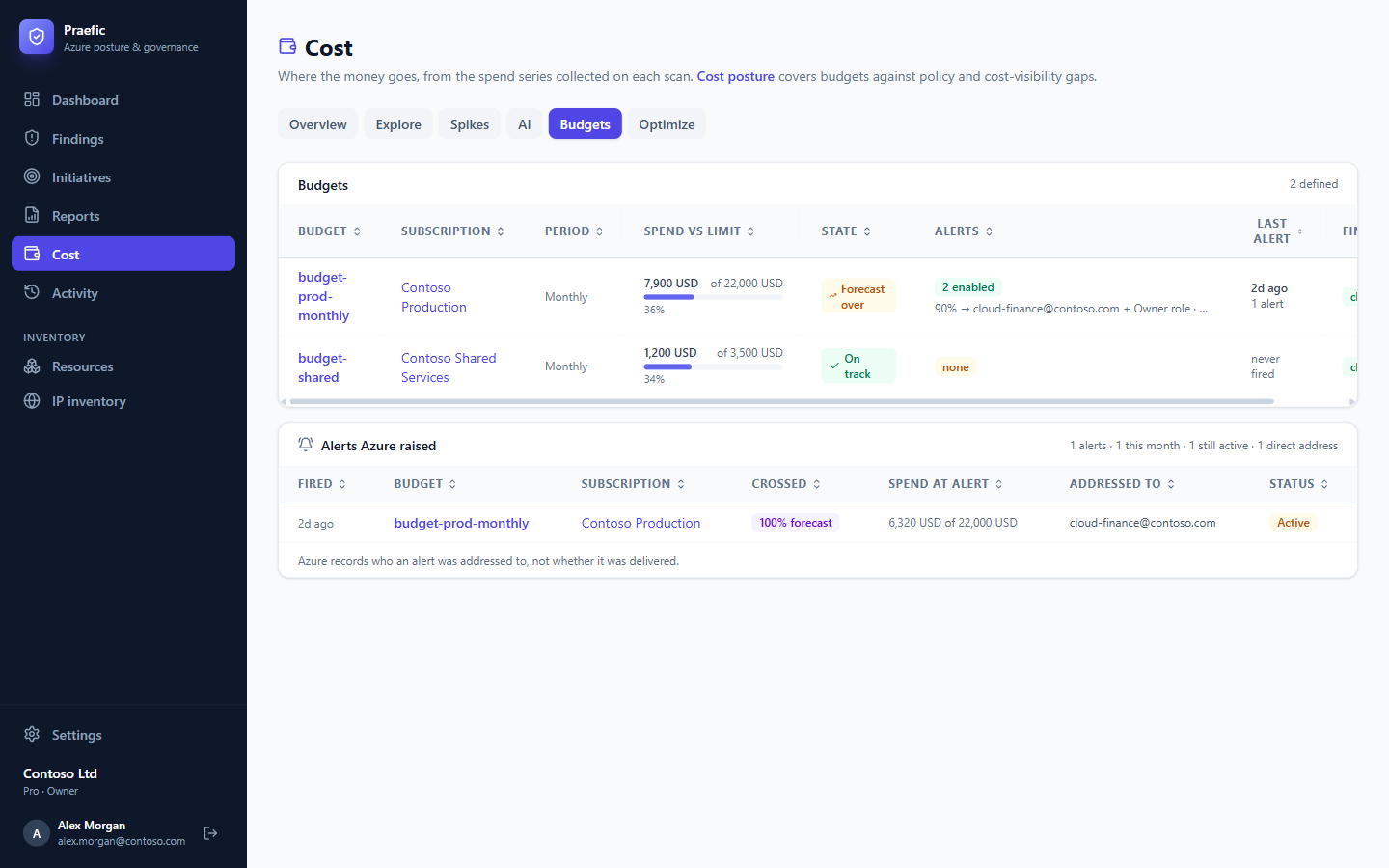
The Cost checks flag subscriptions with no budget, budgets with no working alert, budgets that have expired, budgets exceeded, and budgets forecast to be exceeded.
Optimize — savings opportunities
Resources that are billed while doing nothing — stopped but still allocated VMs, empty App Service plans, unattached disks and gateways, aged snapshots, load balancers without backends — ranked by what they actually cost you over the last 30 days.
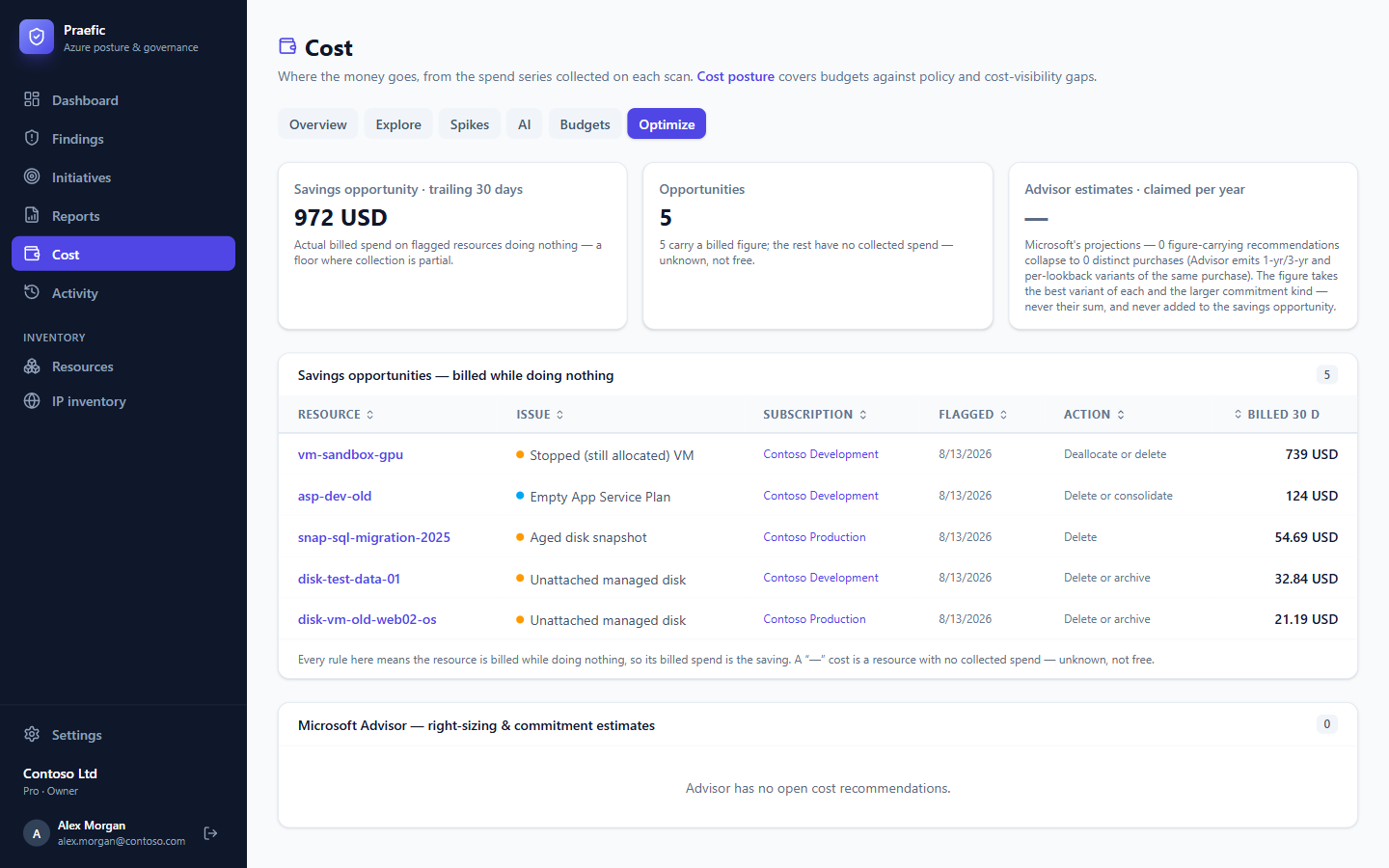
The same figure appears on the dashboard as the Savings opportunity, and any finding on a billed resource shows its cost in the workbench, so you can prioritize by money as well as severity. The figure is a floor: it only counts resources whose spend Praefic has collected.
Advisor's right-sizing and reservation estimates are listed separately, because they are Microsoft's projections rather than billed spend.
AI spend
The AI tab shows spend per AI model and deployment. Spend on the infrastructure around the models (Azure AI Search, Azure Machine Learning, Bing grounding) counts as AI spend too, shown as its own part of the total. Together with the AI checks, which warn when a model in use is about to be retired, it covers the lifecycle of your AI workloads.
Subscriptions without cost data
Some Azure offers — sponsorships, MSDN and Visual Studio subscriptions, free trials — have no Cost Management API. Praefic says so for those subscriptions instead of showing a cost of zero.