Certificates & domains
DNS Tool watches the two things that take a website down without anyone touching DNS: a certificate that expires, and a domain registration that lapses.
Certificates
Certificates shows the TLS certificates serving HTTPS on your domains. DNS Tool finds them two ways:
- Live TLS scan — every 6 hours, DNS Tool connects on port 443 to the hostnames in your A and CNAME records and records the certificate each one serves.
- Certificate Transparency (CT) logs — once a day, DNS Tool checks the public logs every certificate authority must publish to, so it also sees certificates that were issued for your domains but aren't (yet) serving anywhere.
When both find the same certificate, it appears once, with both badges.
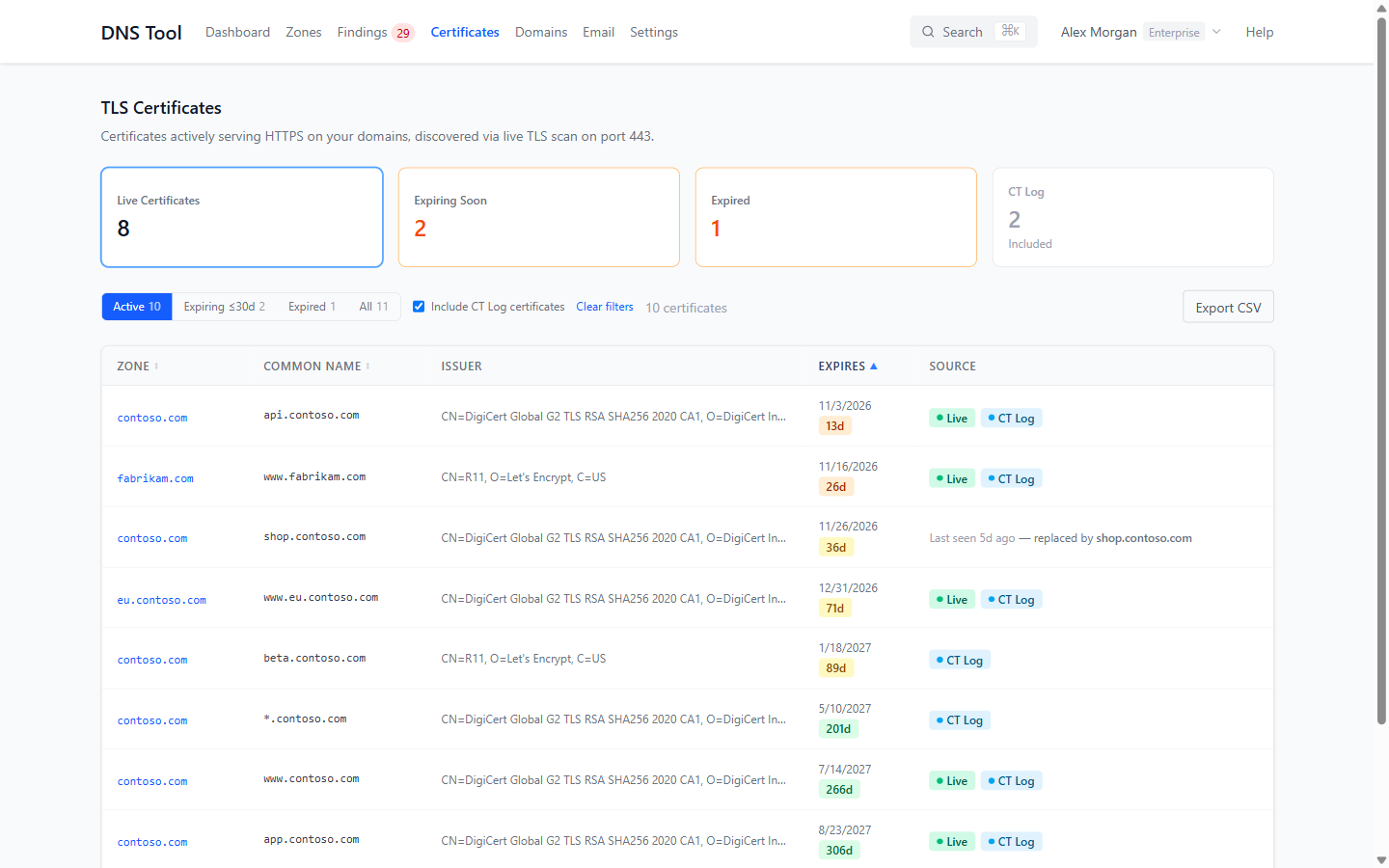
The cards count Live Certificates, those Expiring Soon (within 30 days), Expired ones still being served, and certificates only in CT Log. Filter with Active, Expiring ≤30d, Expired and All, and tick Include CT Log certificates to include certificates that were issued but haven't been seen serving.
| Badge | Means |
|---|---|
| • Live | Seen serving HTTPS on one of your hostnames in the last 24 hours. |
| • CT Log | Found in public Certificate Transparency logs. |
| Last seen … ago — replaced by … | No longer seen serving; a newer certificate for the same hostname has taken its place. Expiry alerts aren't sent for it. |
The days-left badge turns orange under 30 days and red under 7.
Certificate details and DNS timeline
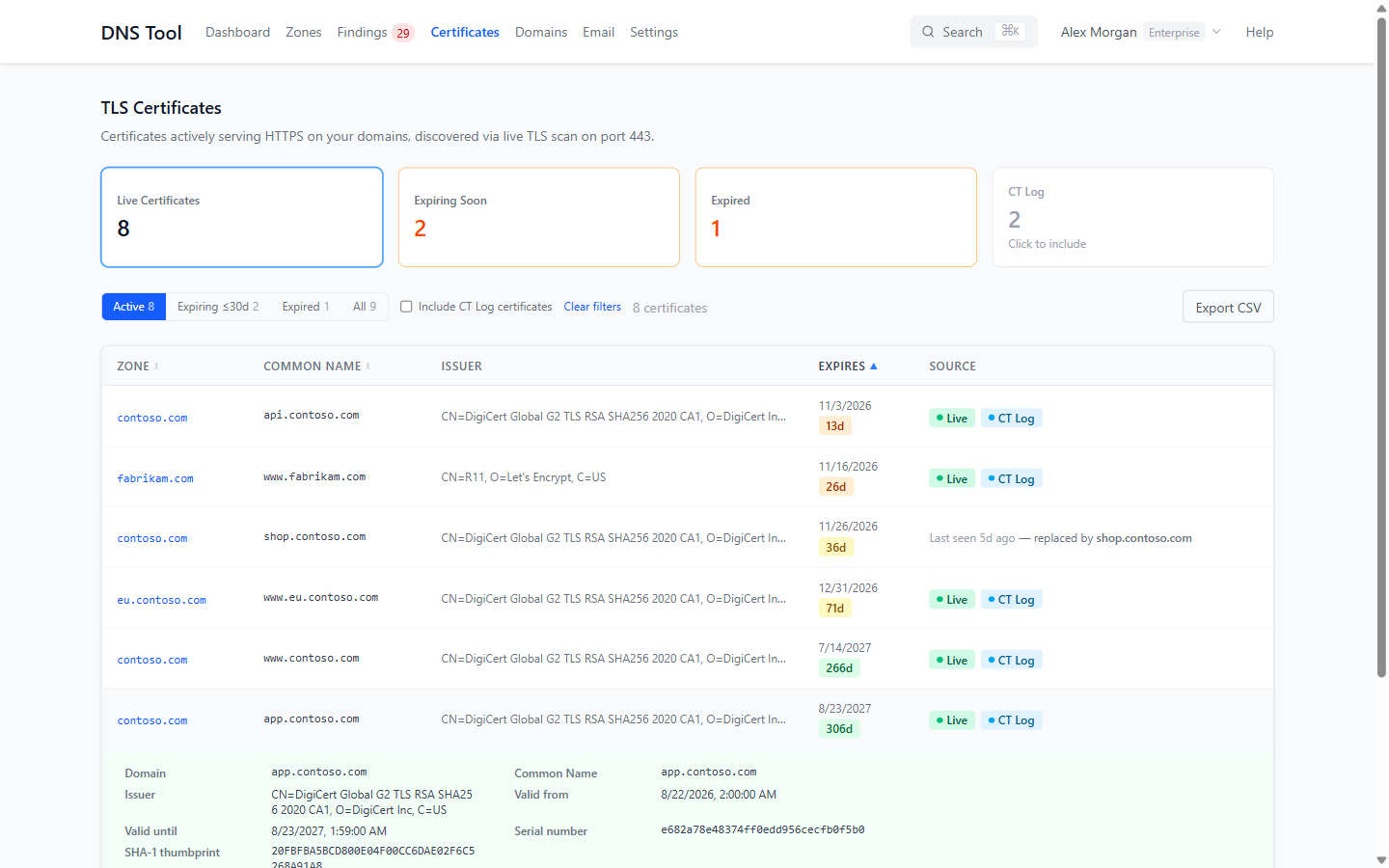
Click a certificate for its issuer, validity period, serial number, SHA-1 thumbprint, crt.sh ID and every name it covers (SANs).
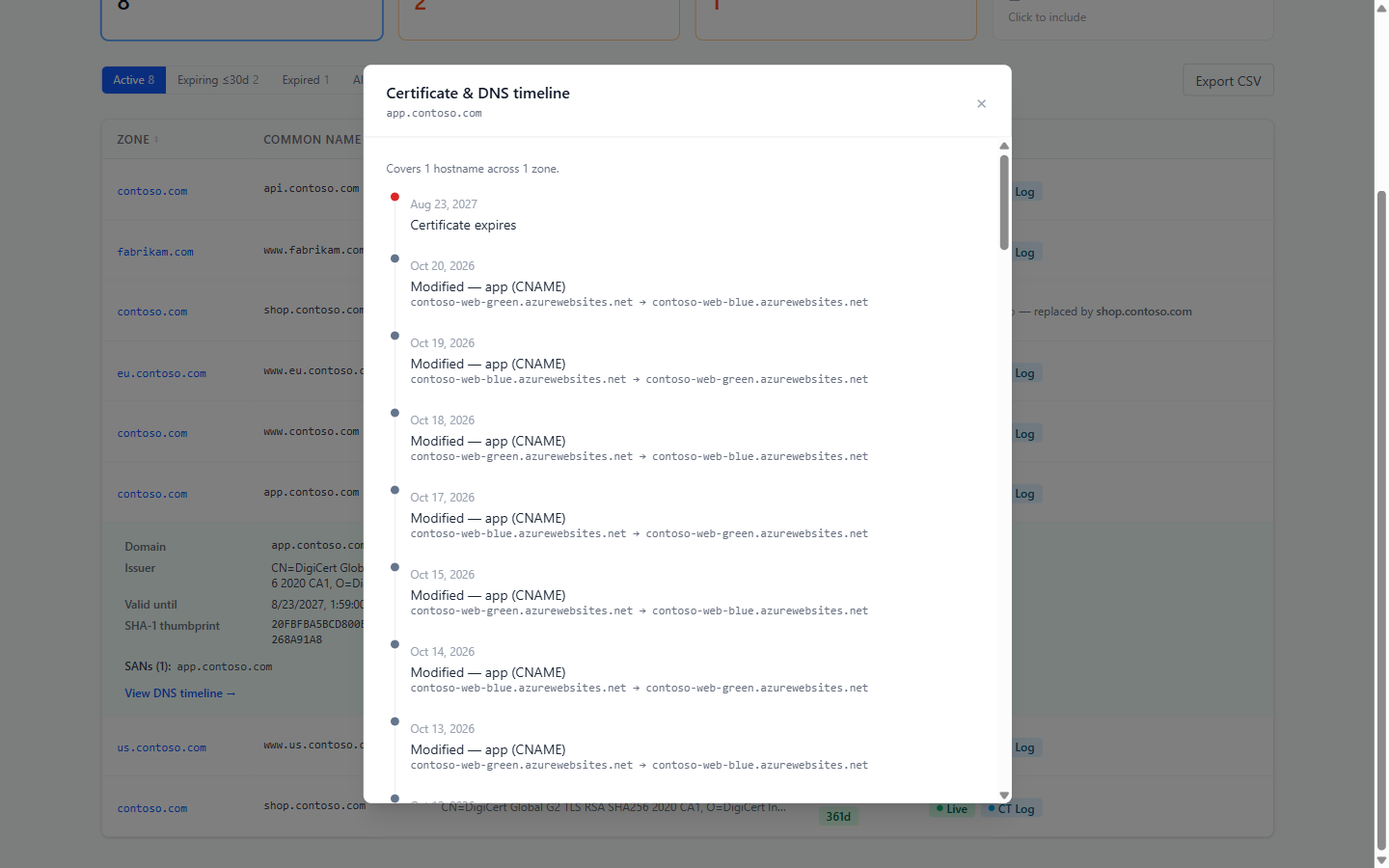
 View DNS timeline lines the certificate up with the DNS changes for the hostnames it covers — useful for seeing whether a hostname was repointed while the certificate was still valid.
Findings from certificates
| Finding | When |
|---|---|
| Certificate Expiry | A certificate expires within 30 days (Warning), 7 days (Error) or 2 days, or has expired and is still served (Critical). Admins can change the warning period under Validation rules. |
| Unauthorized Certificate Authority | A certificate was issued by a CA your CAA records don't allow — possibly a mis-issued or rogue certificate. Enterprise. |
| Certificate Without DNS Record | A valid certificate covers a hostname that no longer has an A, AAAA or CNAME record — a dangling-certificate signal. |
Domains
Domains lists the registration of each public domain, read from the registry over RDAP (the successor to WHOIS) once a day.
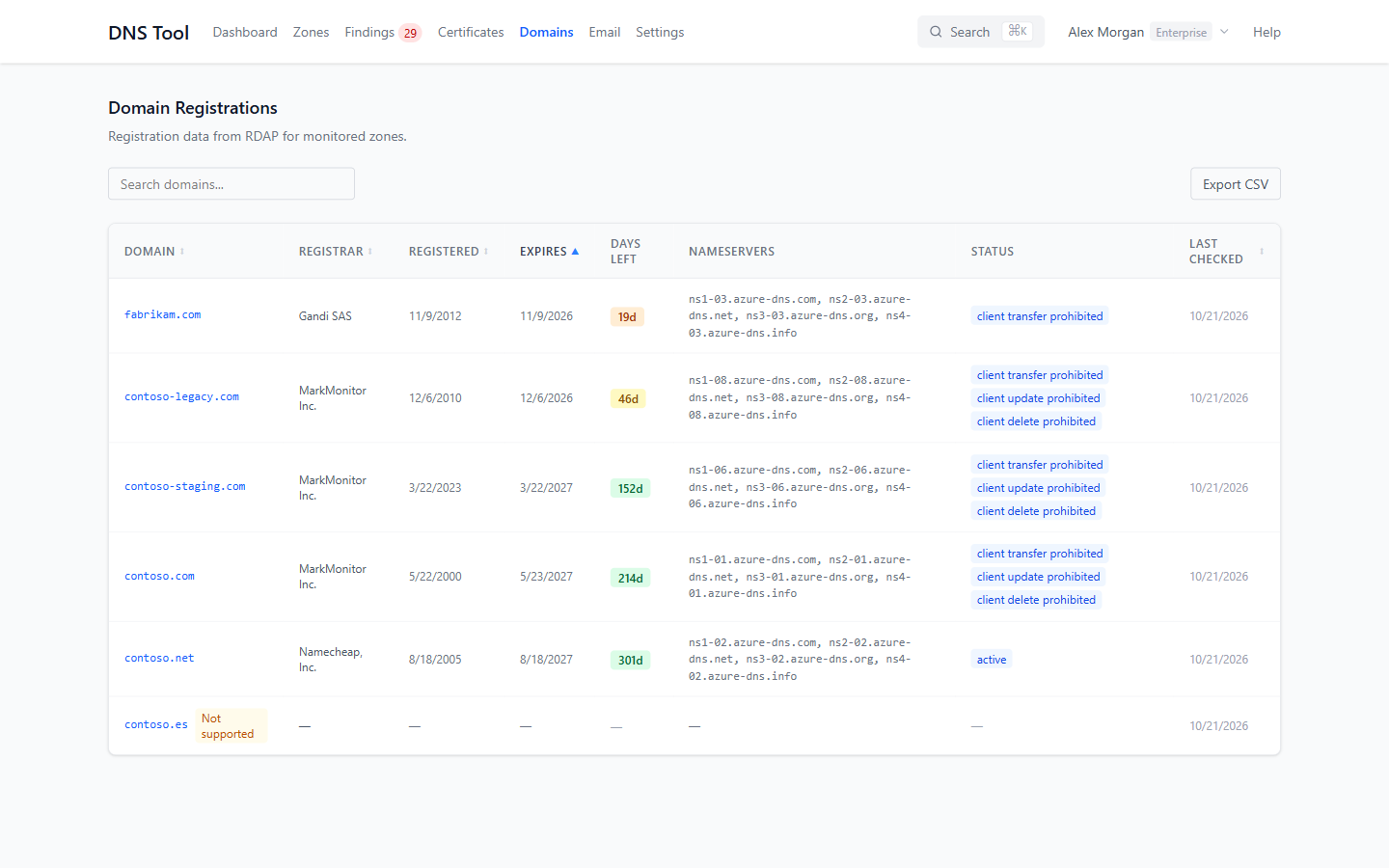
| Column | Shows |
|---|---|
| Registrar | Where the domain is registered. |
| Registered / Expires / Days Left | Registration and expiry dates, with a coloured days-left badge. |
| Nameservers | The nameservers registered for the domain. |
| Status | The registry's status flags. Hover over one for what it means; client transfer prohibited is the transfer lock. |
Not supported means the domain's registry offers no public RDAP access, so DNS Tool can't monitor it. Search by domain, registrar or nameserver; Export CSV downloads the list. A domain's registration also appears on the Domain tab of its zone.
Findings from domains
| Finding | When |
|---|---|
| Domain Registration Expiry | The registration expires within 30 days (Error) or 7 days (Critical). Admins can change the warning period. |
| Domain Transfer Unlocked | The domain has no transfer lock, so anyone with the auth code can move it to another registrar. |
| NS / RDAP Mismatch | The nameservers registered for the domain don't match the zone's NS records in Azure DNS. |