DNS Tool for Azure
DNS monitoring and security built for Azure DNS — see every zone, every change, every risk.
DNS Tool for Azure connects to your Azure subscriptions with read-only access, discovers every public and private DNS zone, and keeps checking them. It validates your records against 45 health and security rules, records every change, watches your certificates and domain registrations, and alerts the right people before a broken record, an expiring certificate or a dangling CNAME turns into an outage or a takeover.
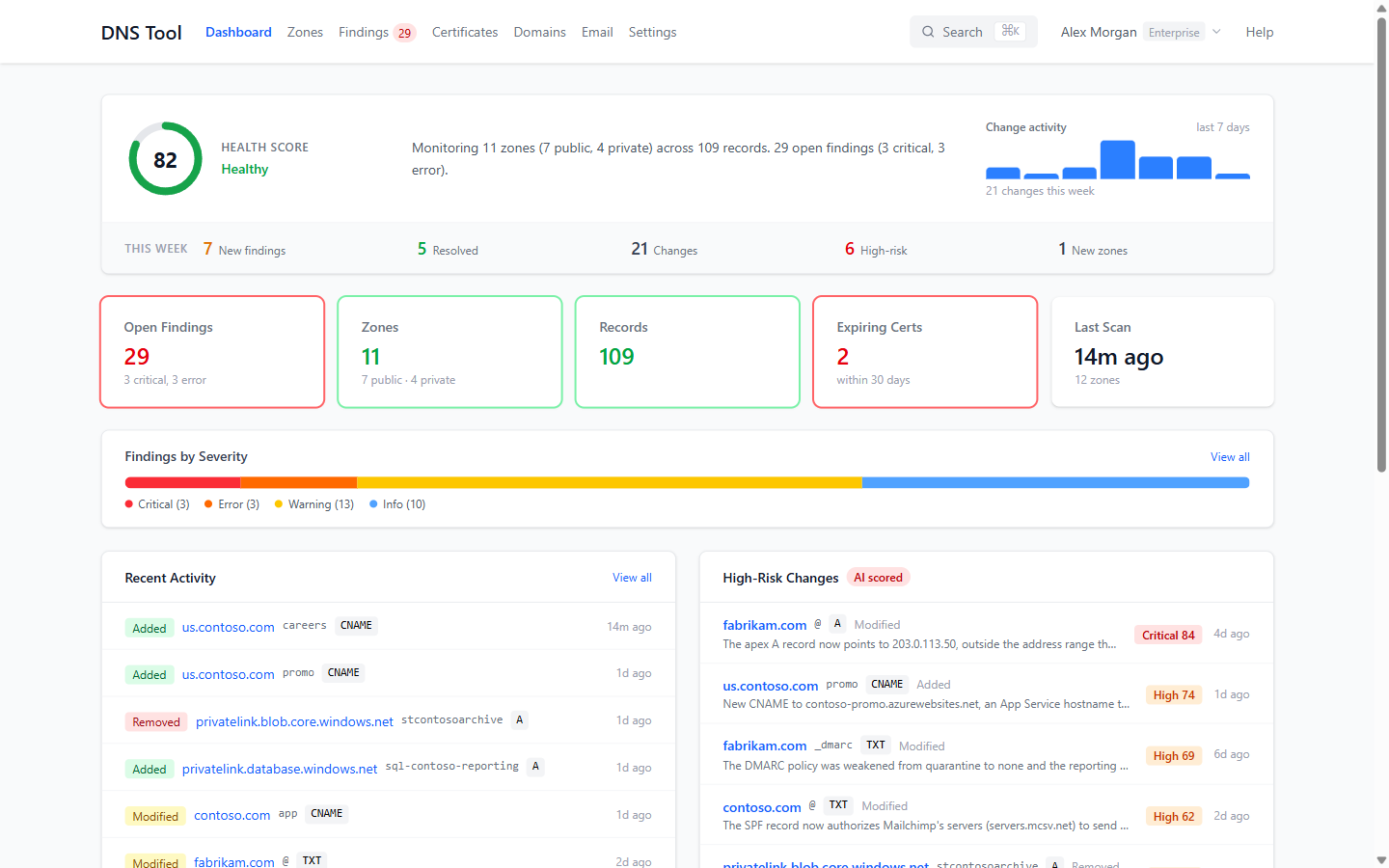
What DNS Tool does
- Discovers your DNS automatically. Every public and private zone and record across the subscriptions you connect, rescanned on a schedule — from daily to every 15 minutes, depending on your plan.
- Validates it against 45 rules. Record health, email security (SPF, DMARC, DKIM, MTA-STS, TLS-RPT), network and delegation, and certificate and domain checks — each finding with an explanation, the impact, how to fix it and a
digcommand to verify. See the validation rules reference. - Scores your health. Every zone gets a health score from 0 to 100, and your estate an overall one, so you know where to start.
- Understands Azure. Private DNS zones with their VNet links and Private Endpoints, split-brain zones, and CNAMEs that point at Azure resources that no longer exist — the classic subdomain-takeover risk.
- Records every change. Record-level history with before and after values, and AI risk scoring that tells you which changes deserve a second look.
- Watches certificates and domains. Live TLS scans and Certificate Transparency logs show every certificate for your domains and when it expires; RDAP shows when your domain registrations expire and whether they're locked.
- Tells the right people. Alert rules deliver to email, Microsoft Teams, Slack or a webhook, with maintenance windows for planned work, plus a periodic digest and a monthly PDF posture report.
Read-only by design
DNS Tool uses a multi-tenant app, DNS Tool for Azure Subscription Scanner, that an administrator consents to once, plus Azure's built-in Reader role on the subscriptions you choose. It holds no write permissions and never changes anything in Azure. Every fix stays in your hands.
Getting started
- Subscribe on Azure Marketplace — the Free plan needs no credit card.
- Sign in with your Microsoft work account.
- Connect your Azure tenant: admin consent and the Reader role. See Getting started.
- Your first scan runs straight away; review your health score and findings, and set up alerts.
Documentation
| Guide | What it covers |
|---|---|
| Getting started | Subscribing, signing in, connecting a tenant, permissions, first scan, the sample data |
| Dashboard & search | The dashboard, global search and navigation |
| Zones & records | The zone list, zone details, private zones, comparing and hiding zones |
| Findings & health score | Findings, how to fix them, acknowledging, and how the health score is calculated |
| Email security | The SPF, DMARC, DKIM, MTA-STS and TLS-RPT scorecard |
| Certificates & domains | Certificate inventory, CT logs, expiry and domain registrations |
| Change history | Record changes, AI risk scoring and exports |
| Alerts & notifications | Notification channels, alert rules, maintenance windows, alert history and the digest |
| Status page & reports | Public status page and badge, monthly PDF posture report |
| Settings | Connections, users and roles, validation rules, audit log, subscription and trials |
| Validation rules | Every check DNS Tool runs, by group and severity |
| Plans & Pricing | Plans, limits, feature comparison and trials |
| FAQ | Permissions, data, scanning and common questions |
Support
For questions or support, contact us at support@just-software.com.