Change history
Each scan compares every zone with what DNS Tool saw last time. Every difference is recorded as a change: a record added, modified or removed, or a zone added or removed — with the values before and after.
Change History lists changes across all your zones, newest first. Open it with View all under Recent Activity on the dashboard. Each zone also has its own Change History tab; see Zones & records.
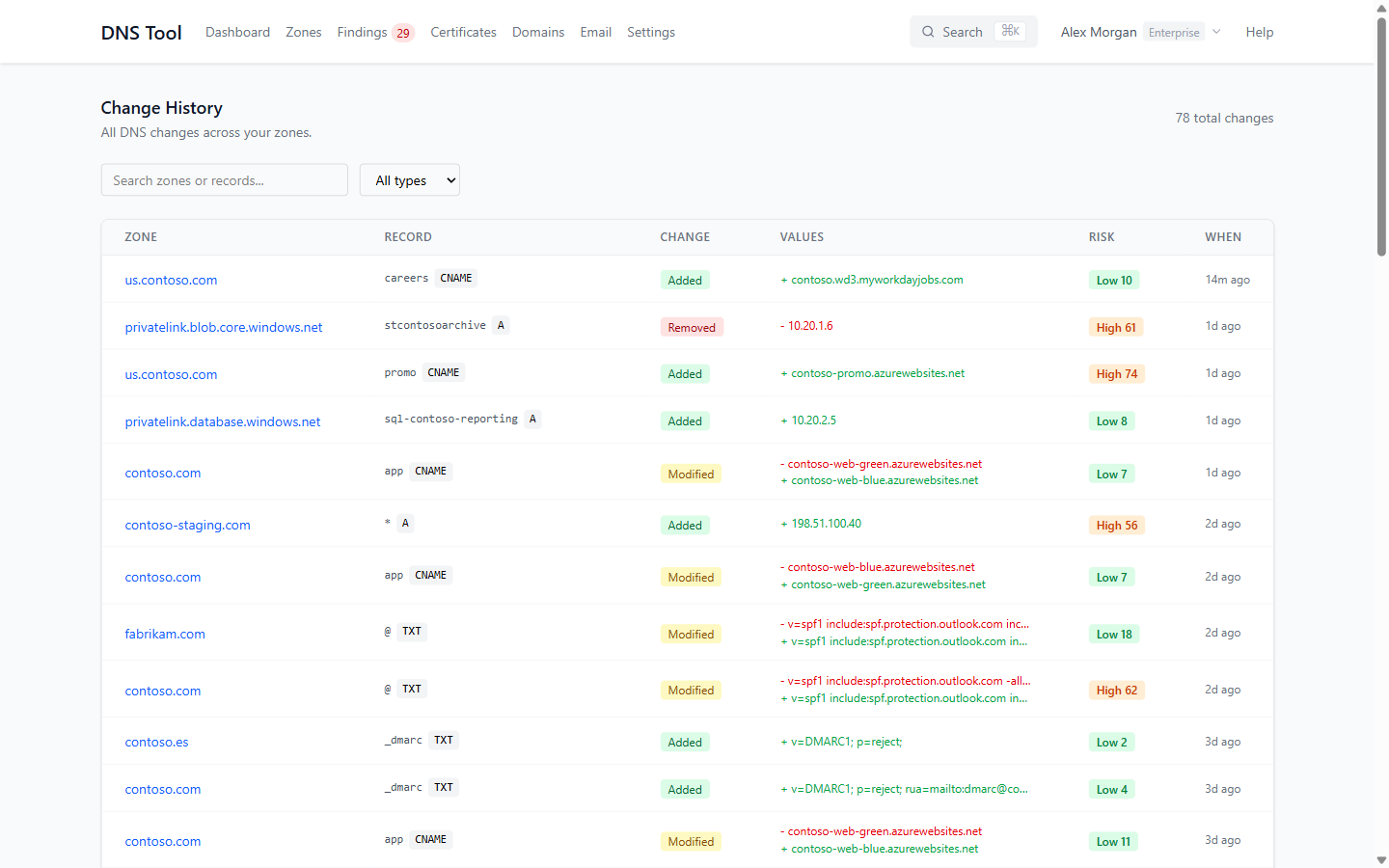
| Column | Shows |
|---|---|
| Zone | The zone; click it to open the zone's own history. |
| Record | The record's name and type, or Zone-level for a zone that was added or removed. |
| Change | Added, Modified or Removed (Zone Added and Zone Removed for zones). |
| Values | The previous values in red and the new values in green. |
| Risk | The AI risk score, when scored. |
| When | How long ago the change was detected. |
Search by zone or record name. On the zone's Change History tab you can also filter by date range and export the history as CSV.
Note: DNS Tool detects a change at the first scan after it was made, so the time shown is when the scan saw it. How often your zones are scanned depends on your plan: daily, every 6 hours, hourly or every 15 minutes.
How long history is kept
| Plan | Change history |
|---|---|
| Free | 7 days |
| Starter | 30 days |
| Pro | 90 days |
| Enterprise | 1 year |
Older changes are removed nightly. Resolved findings are kept twice as long.
AI risk scoring
Most DNS changes are routine — a deployment swapping a hostname, a TTL tweak. A few aren't: an apex record moved to an unfamiliar network, a DMARC policy weakened, a CNAME to an app that doesn't exist. AI risk scoring reads each change in context and rates it, so you can tell them apart at a glance.
Each scored change gets a score from 0 to 100 and a level — Low, Medium, High or Critical — with a one-line explanation; hover over the score to read it. Changes scoring 51 or more are high-risk: they appear under High-Risk Changes on the dashboard and are counted in This week.
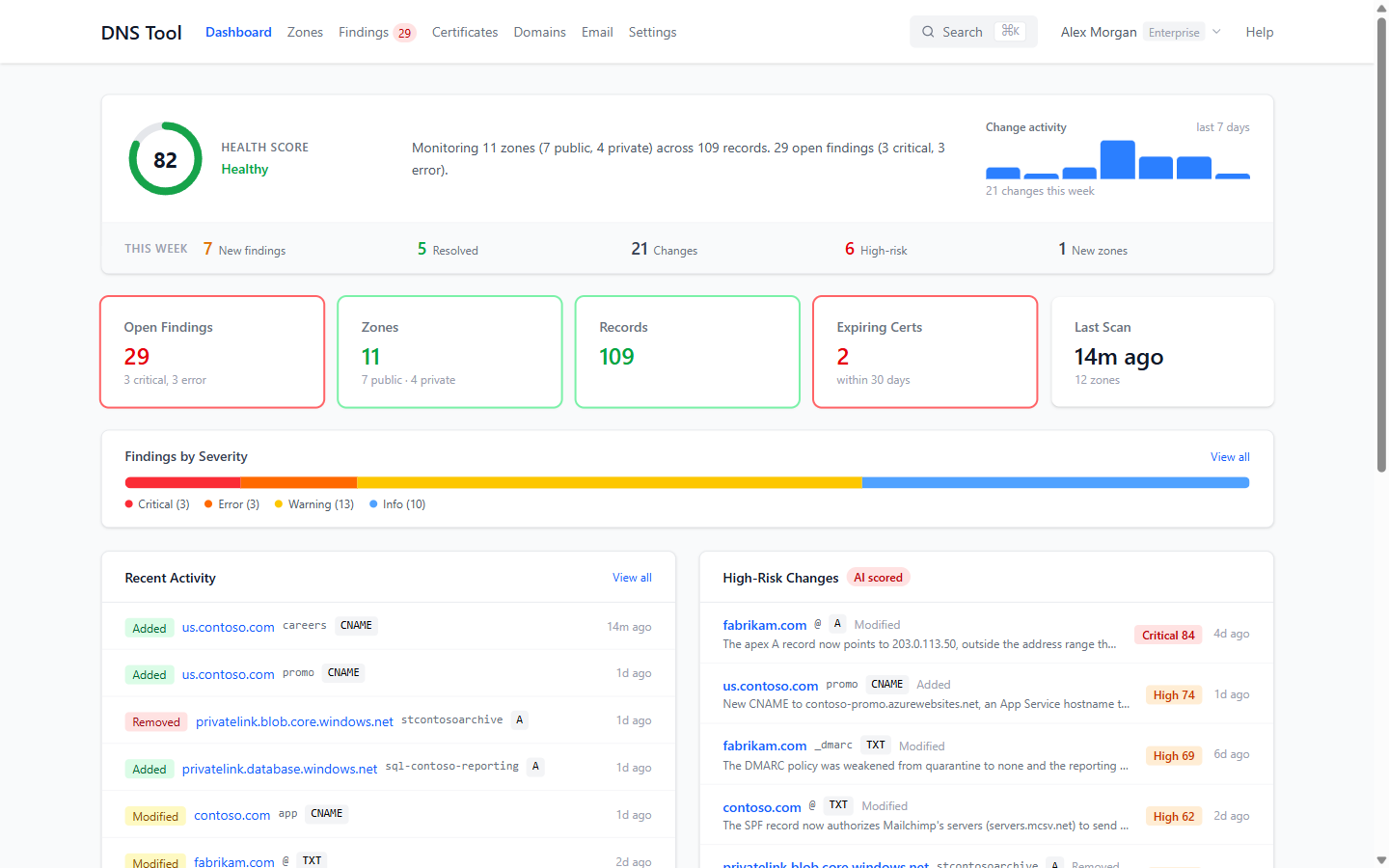
AI risk scoring is part of Pro and Enterprise, once it is enabled for your organization. Changes that carry no risk, such as TTL-only changes, aren't scored. For each change it scores, DNS Tool sends the zone and record name, the record type, the previous and new values, and — for IP addresses — the network owner and location to Mistral AI's EU endpoint. Nothing else from your organization is sent, and the scores never change anything in your DNS.