Exceptions
Every real estate has resources that break the rules on purpose: a public storage account behind a CDN, a bastion host that must accept SSH, short-lived test VMs. An exception records that decision properly — what it covers, why, who approved it and until when — so the finding leaves the open list without being forgotten.
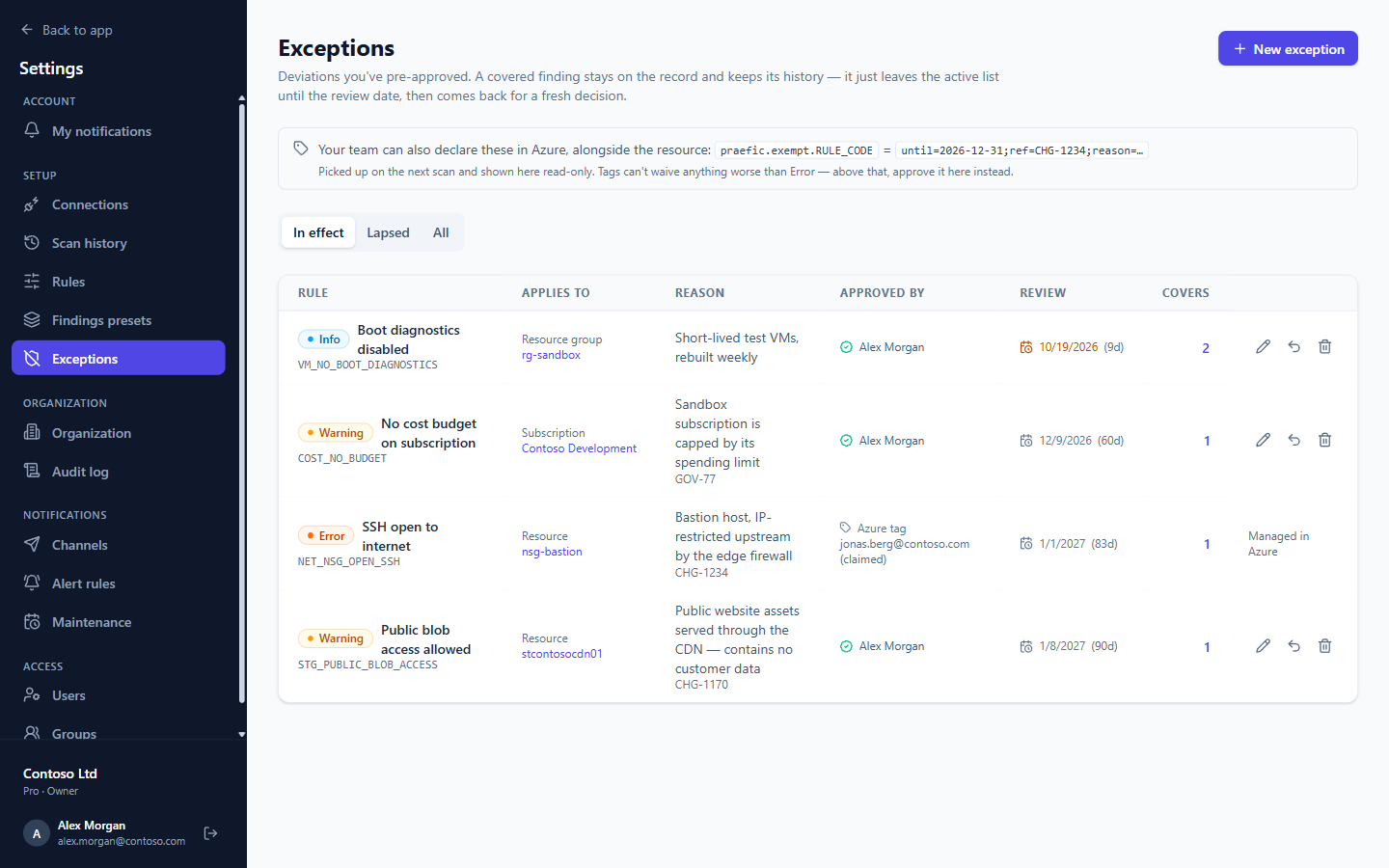
What an exception contains
- Rule — the check being waived.
- Scope — exactly what it covers: one resource, a resource group, a subscription, or every resource carrying a set of tags.
- Reason and an optional reference (a change or ticket number).
- Review date — when it lapses. When it does, the finding comes back automatically for a fresh decision.
A finding covered by an exception moves to the Excepted tab. It keeps its full history, and it is still visible — it just no longer counts as open.
Approve an exception in Praefic
- From a finding's workbench, choose This is intentional — waive it, or
- go to Settings → Exceptions → New exception.
Praefic shows which findings the exception will cover before you save it. Exceptions can be edited or revoked at any time; revoking one brings its findings back immediately.
Declare an exception as an Azure tag
Teams that manage Azure as code can declare an exception on the resource itself, in the same pull request that creates it. The exception is reviewed with the infrastructure, deployed with it, and removed with it.
Tag name: praefic.exempt.<RULE_CODE>
Tag value: ;-separated key=value pairs, all optional:
| Key | Meaning |
|---|---|
until |
Review date, YYYY-MM-DD |
ref |
Change or ticket reference |
by |
Who claims the exception |
reason |
Why it is intentional |
praefic.exempt.NET_NSG_OPEN_SSH = until=2026-12-31;ref=CHG-1234;by=platform@contoso.com;reason=Bastion host, IP-restricted upstream
A plain sentence works too — praefic.exempt.STG_PUBLIC_BLOB_ACCESS = Public by design — it becomes the reason.
When one rule raises several findings on the same resource, add a suffix to waive just one of them, for example praefic.exempt.NET_NSG_OPEN_SSH.port-22.
Things to know:
- Tag exceptions are picked up on the next scan and shown in Praefic as read-only (Managed in Azure). Remove the tag and the exception goes with it.
- Tags apply to the resource they are on. A tag on a subscription or resource group does not exempt the resources inside it — Azure has no tag inheritance, and a broad waiver should be approved explicitly in Praefic instead.
- Tags can't waive anything worse than Error. A Critical finding needs an exception approved in Praefic.
- A tag that looks like an exception but can't be honoured — for example a misspelled rule code — is reported rather than silently ignored.
- Rule codes are shown on every finding and under Settings → Rules.
- An administrator can change the tag prefix, or switch tag exceptions off, under Settings → Organization.
Exceptions and your scores
A finding covered by an exception counts as handled, so a maturity level can reach 100% partly on sign-offs. Praefic always shows how many of a level's clear checks are clear only because of an exception, so that number is never hidden.
Lapsing exceptions
The Lapsed tab lists exceptions that have expired. Upcoming review dates also appear in the expiry calendar, which you can subscribe to from Outlook or Google Calendar.