Reports & alerts
Management report
Reports → Management is a one-page view of your posture written for leadership: the health score and its trend, a plain-language summary, the savings opportunity, triage warnings, recommended actions with the reason each one matters, how quickly findings get fixed, movement by area and CIS / Microsoft cloud security benchmark coverage.
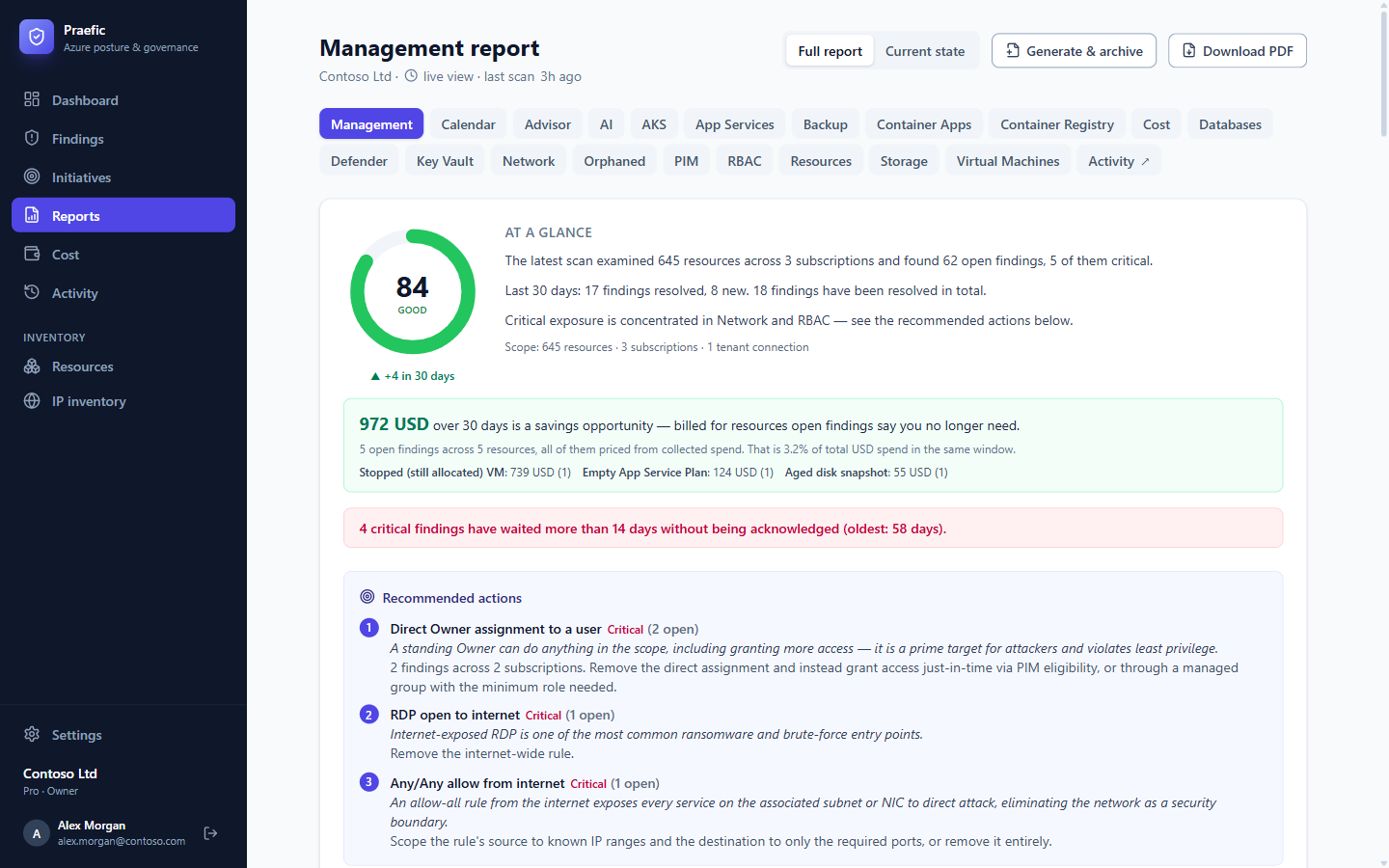
- Full report includes the period's history and trends; Current state is a point-in-time view.
- Download PDF produces the same report as a document.
- Generate & archive freezes the report as it stands today, so you can compare against it later.
- Every number on the web version links to the findings behind it.
Where AI features are enabled, an organization can opt in to an AI-written narrative (executive summary, key developments, outlook) under Settings → Organization. It is off by default.
Per-area reports
The Reports tabs give each area its own inventory and posture view — for example the network report lists internet-exposed rules and public IPs, the backup report shows coverage, and the RBAC report lists privileged assignments.
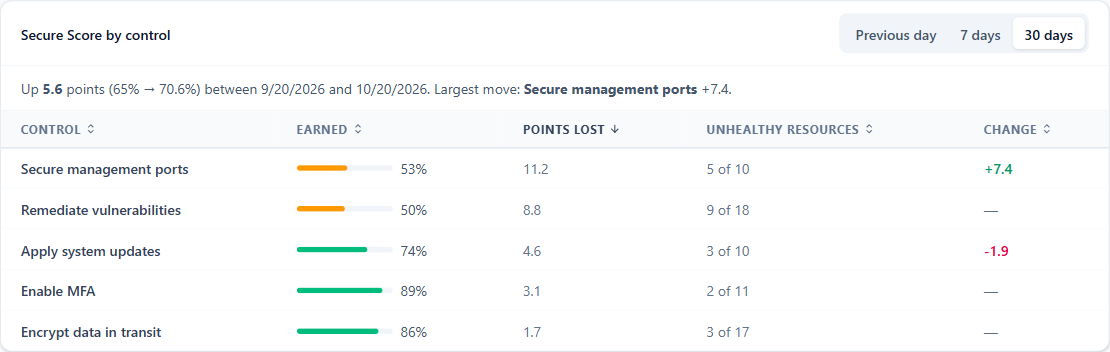
The Defender report splits Microsoft Secure Score by control and by subscription, and shows what moved it over the last day, week or month. When the score drops overnight, you can see which control lost the points and in which subscription.
Expiry calendar
Reports → Calendar collects every dated deadline in one place: App Service certificates, exceptions that lapse, budget periods that end, and AI model retirements. Choose Create link to subscribe to it from Outlook or Google Calendar.
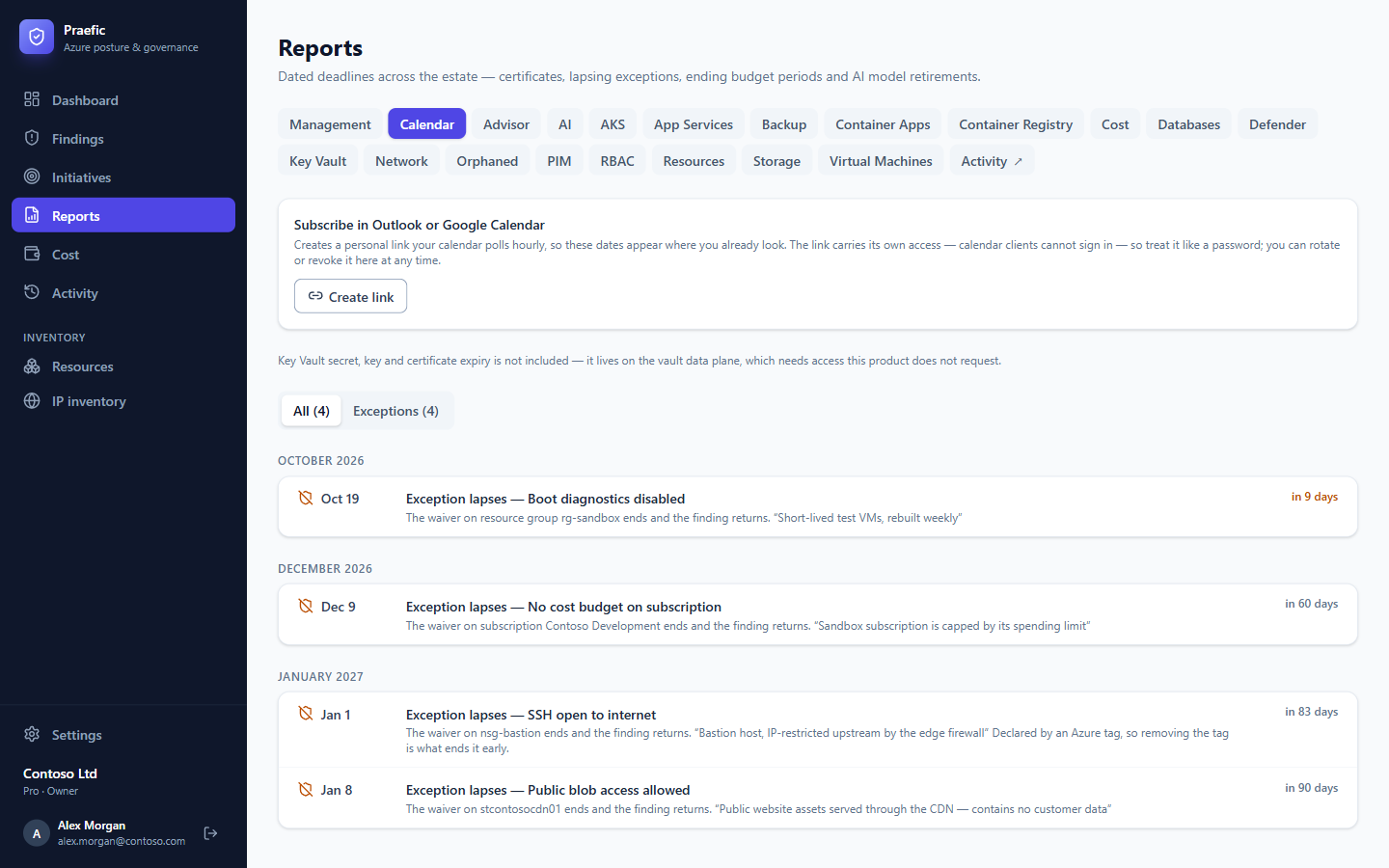
Note: The link carries its own access, because calendar apps can't sign in. Treat it like a password — you can rotate or revoke it at any time. Key Vault secret and certificate expiry is not included: it lives on the vault data plane, which Praefic does not request access to.
Notifications
Channels
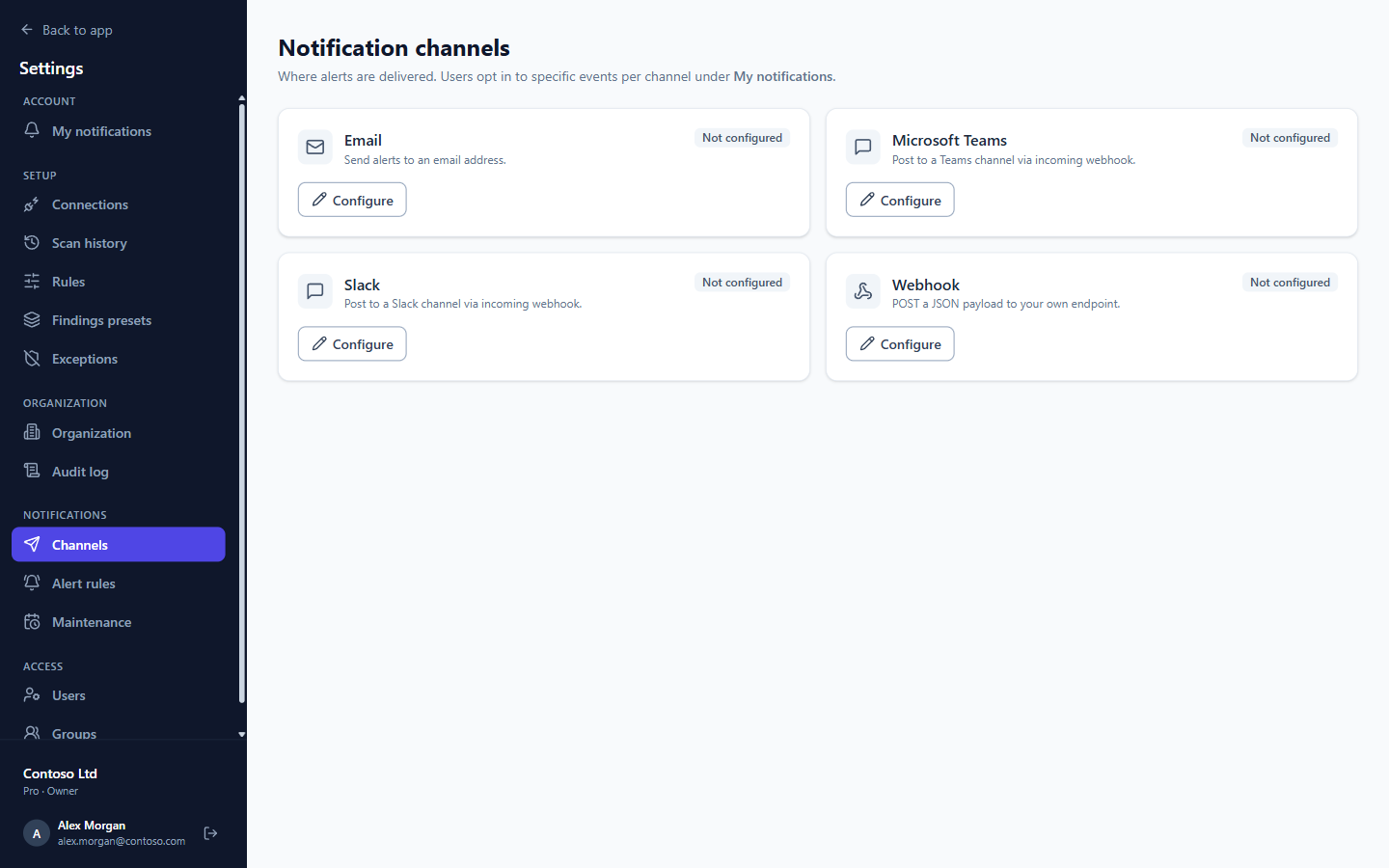
Under Settings → Notifications → Channels, connect the places alerts should go: Email, Microsoft Teams (incoming webhook), Slack (incoming webhook) or a Webhook to your own endpoint.
Alert rules
Alert rules decide which events notify — for example new Critical findings, findings that reappear, or an AI model in use retiring within 30 days — narrowed by severity, area or check. Alerts are sent after each scan for what changed in that scan.
Maintenance windows pause alerts during planned work.
Personal notifications
Under My notifications, each user chooses which events they receive and how often — instantly, as a daily, weekly or monthly digest, or not at all — for findings assigned to them, @-mentions in comments, and new findings. Solution owners can also get a weekly or monthly solution digest.
Audit log
Settings → Audit log records what people did in Praefic — sign-ins, configuration changes, exceptions, triage — including refused attempts.