Activity
Praefic reads the Azure Activity Log for every connected subscription on each scan and keeps it — past the 90 days Azure itself retains — so posture findings come with context: who changed the resource, and whether a fix keeps being undone.
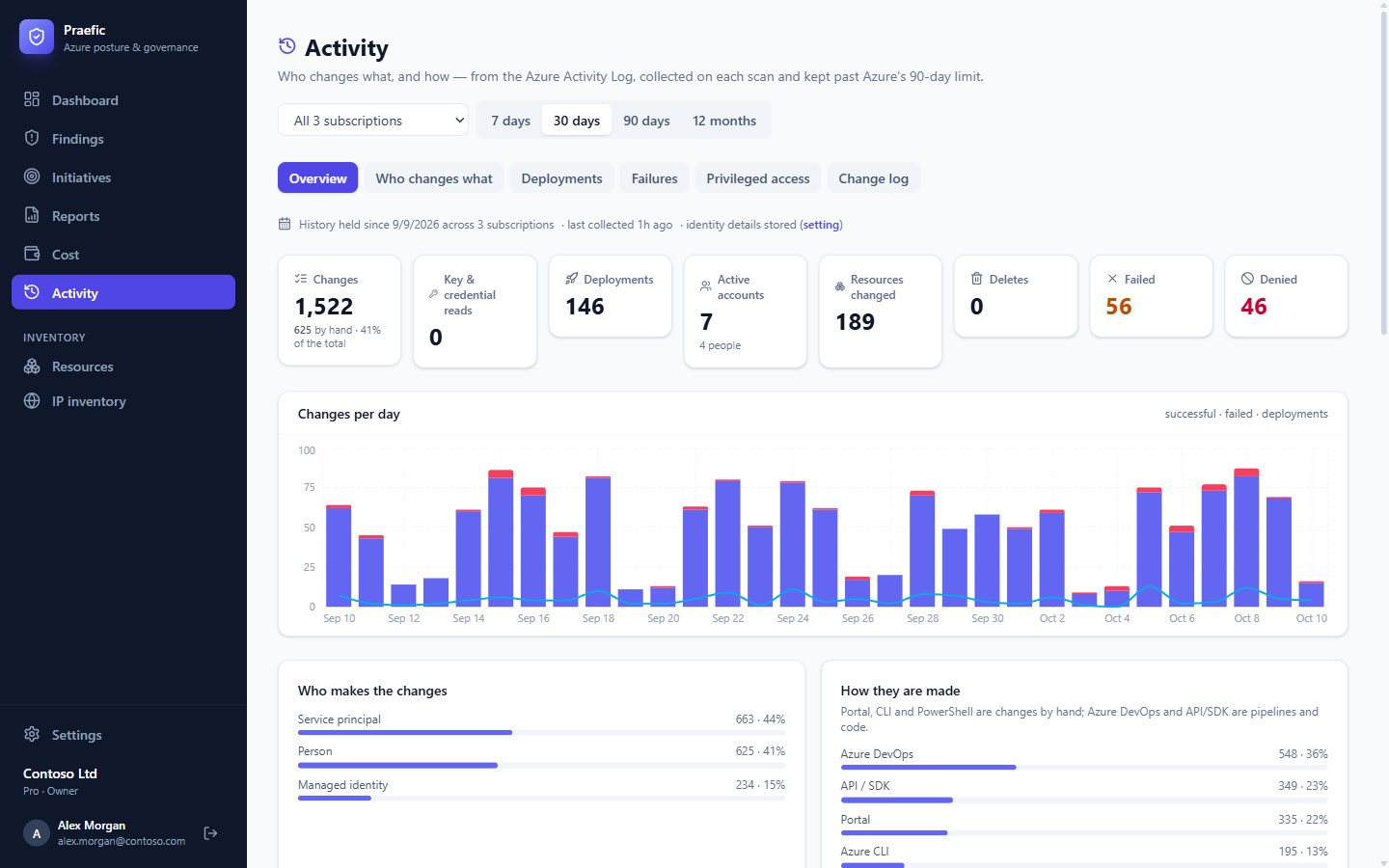
Choose a window (7 days, 30 days, 90 days or 12 months) and a subscription at the top. The coverage line says how far back history goes and when it was last collected.
Overview
Totals for changes, deployments, active accounts, deletes, failures and denials; changes per day; and who makes the changes (people, service principals, managed identities) and how (portal, Azure CLI, PowerShell, Azure DevOps, API/SDK). The busiest accounts, resources, operations and resource groups follow. Every figure opens the list of events behind it.
Who changes what
One row per account — changes, deletes, deployments, failures, denials, resources touched and where it acted from. Filter to People or Automation; click an account for its daily activity and latest changes.
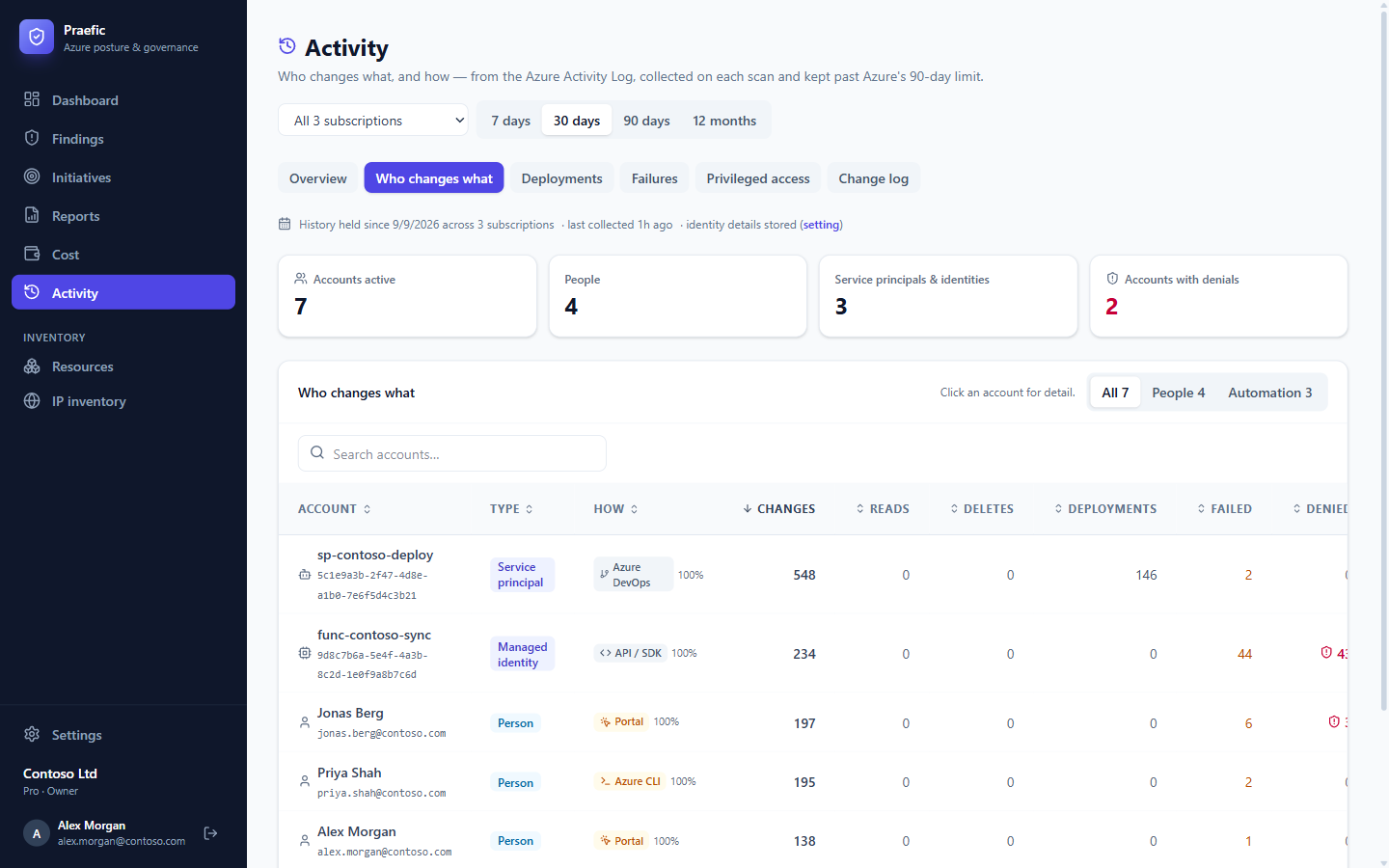
Service principals and managed identities are named where Azure exposes their name; otherwise they are shown by object ID.
Deployments, failures and the change log
- Deployments — ARM deployments with success rate, duration, who deploys and where.
- Failures — failed and denied operations grouped by cause, with Azure's own error message.
- Change log — every recorded change, searchable and filterable by status, account type and channel.
Wherever a source address is shown — the change log, an account's Where from list, an elevation — it is marked against your IP inventory: Allowed, Disallowed or Unknown, with the matching inventory entry in the tooltip. A change made from an address you have marked as disallowed is easy to spot.
Privileged access
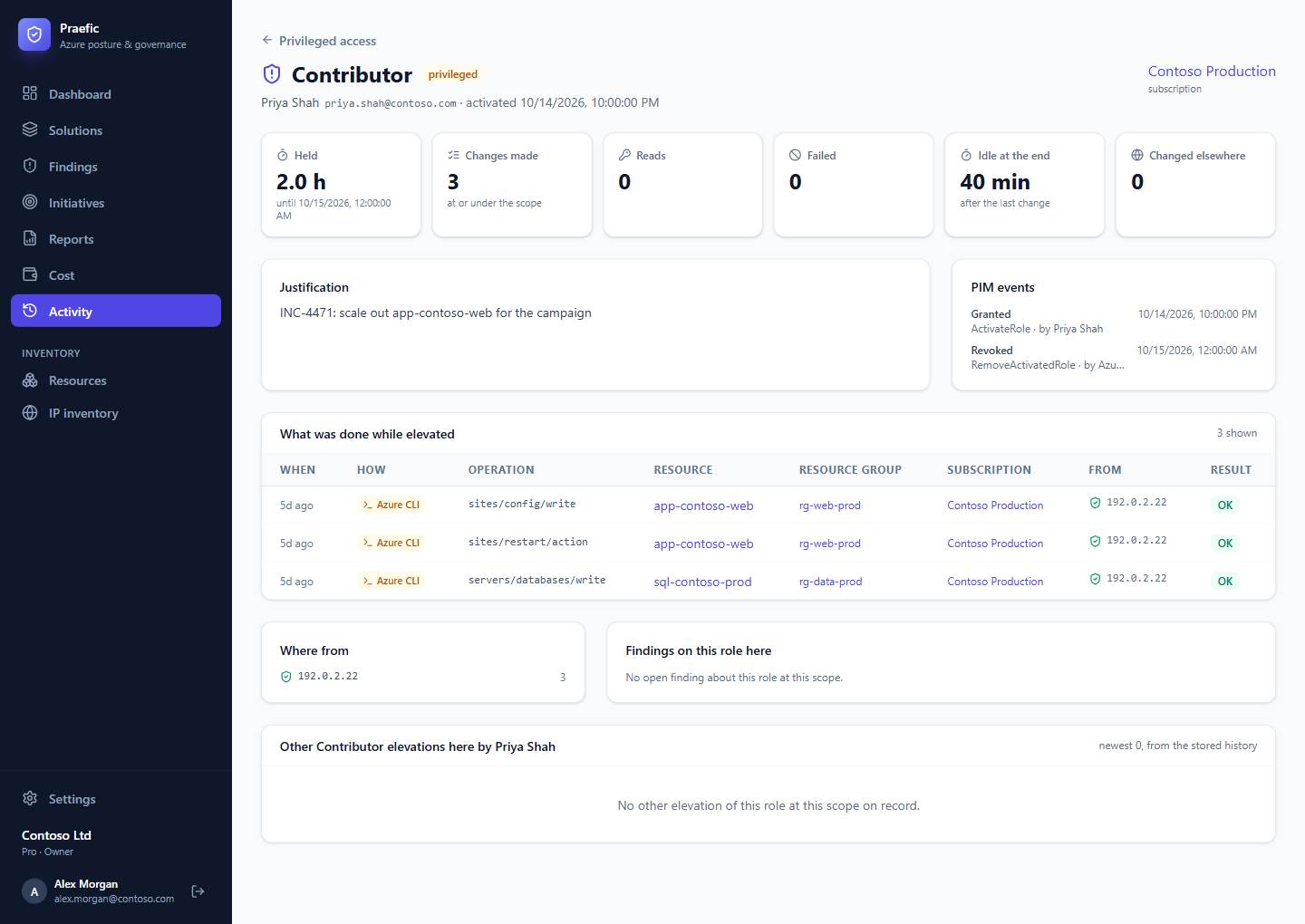
For Azure-resource PIM activations, Praefic pairs each elevation with the changes the same account made while it was active — so you can see roles held for the full activation window when the work took minutes, and elevations used for nothing at all.
Open an elevation for its own page:
- What it was used for — exactly the changes counted in the list's Used figure, made in the elevated scope during the window.
- The request — the role, the scope, the justification given and the PIM events from request to removal.
- How long it was held, and how long it stayed active after the last change.
- Changes made elsewhere in the same window, with standing rights.
- Where it came from — the source addresses, marked against your IP inventory.
- The same person's other elevations of that role, and any open findings about the role at that scope.
Where usage cannot be measured — for example a role activated through a group — the page says so instead of reporting zero changes.
The RBAC findings use the same history: a standing Owner or Contributor assignment shows whether the identity has any recorded control-plane activity, and when.
Note: The Activity Log covers the Azure control plane only. An identity that only reads blob data or Key Vault secrets leaves no trace there, so Praefic says no recorded control-plane activity, never "unused". Check data-plane usage before removing access.
On your findings
- Who changed this — a finding's workbench shows the change most likely to have introduced it, and whether anyone has touched the resource since.
- This has come back — when a fixed finding returns, Praefic shows the change that reintroduced it and the identity behind it.
Activity checks
The Activity area adds checks of its own:
| Check | Raised when |
|---|---|
| Repeated denied operations | One account keeps being refused |
| Automation failing for days | An integration fails the same call on the same resource for days |
| Pipeline reintroducing findings | One identity keeps putting resolved findings back |
| Privileged roles active too long | PIM elevations stay active long after the last change |
| Operations colliding | One account's operations keep conflicting with each other |
| Mostly manual changes | Most changes in a subscription are made by hand in the portal |
Identity details
By default Praefic stores who made each change and where from, so it can attribute changes. An administrator can switch this off under Settings → Organization; events are then stored without identity details.