Maturity levels
A full benchmark starts you at hundreds of failures. A maturity level is a short, named set of checks you agree matter — so your team has a target it can finish, and a number that shows progress.
Levels build on each other: Level 2 includes everything in Level 1, Level 3 everything in Level 2. Moving up never means losing what you have already achieved.
The starter ladder
Every organization starts with three levels you can rename and tune:
| Level | Focus |
|---|---|
| Baseline Level 1 — Exposure & encryption in transit | Public endpoints, open management ports, and traffic not forced onto modern TLS. Mostly configuration changes with little blast radius — start here. |
| Baseline Level 2 — Identity & authentication | Standing privileged access, key-based authentication, workloads without a managed identity. |
| Baseline Level 3 — Resilience & hardening | Backup coverage, soft delete and immutability, auditing, Defender plan coverage. |
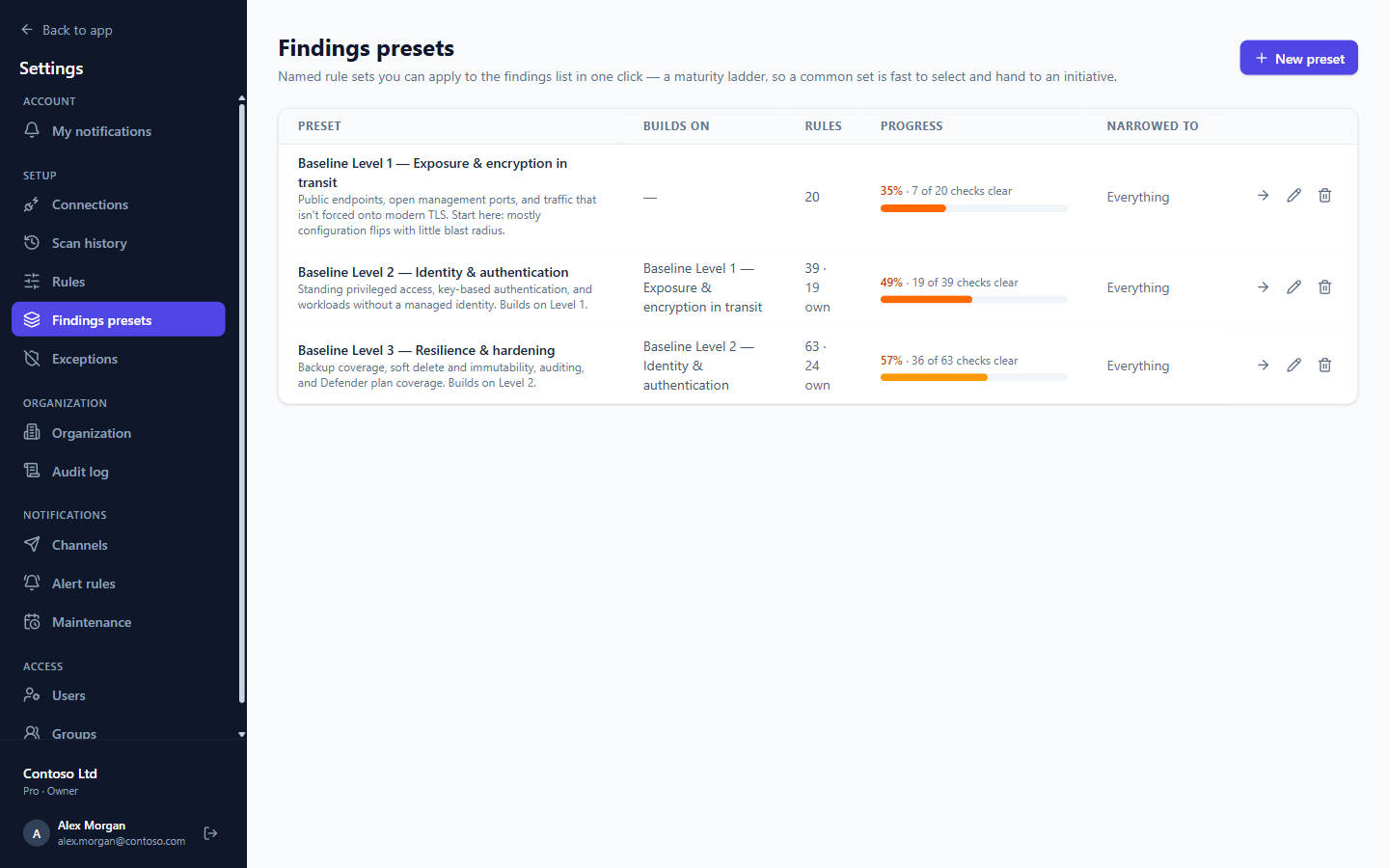
Manage levels under Settings → Findings presets: create your own, change which checks a level contains, choose which level it builds on, or narrow it to part of the estate.
Track a level
The dashboard shows each level's progress. Open a level for the detail:
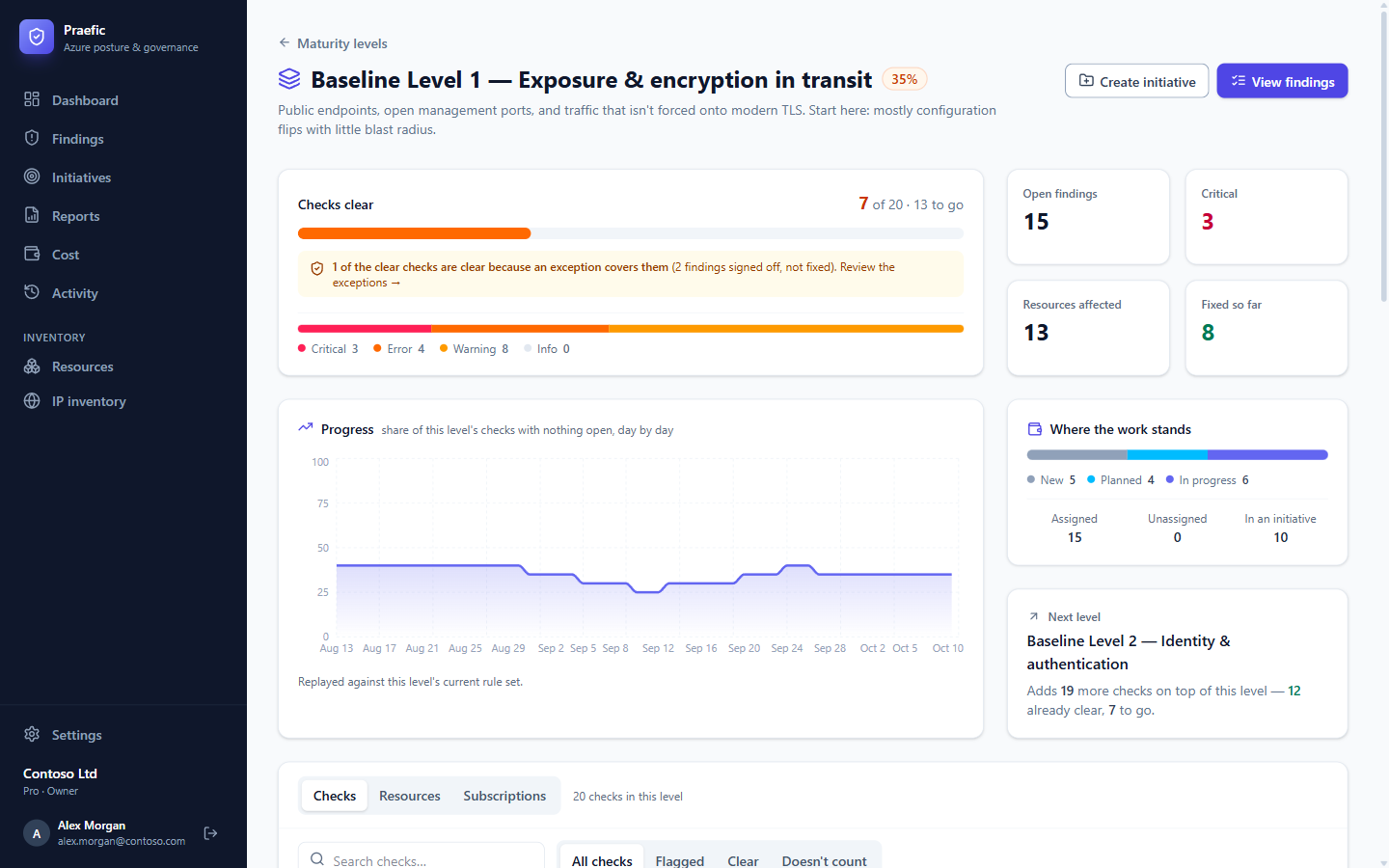
- Checks clear — how many of the level's checks have nothing open, and how many open findings remain by severity.
- Clear because of an exception — how many of those clear checks rest on an approved exception rather than a fix.
- Progress — the share of checks clear, day by day.
- Where the work stands — open findings by remediation status, and how many are assigned or already part of an initiative.
- Next level — what the next level adds, and how much of it is already clear.
View findings opens the level's open findings; Create initiative turns them into an initiative.
History from day one
A level is just a set of checks, so Praefic replays it over the history it already has. A level you create today immediately shows how the estate would have scored against it since you started scanning. Editing a level redraws its whole line under the new definition, so the trend always compares like with like. Days that were not measured are left as gaps, never drawn as zero.
Use a level as a filter
On the Findings list, choose a level from the level picker to see only that level's findings — the fastest way to scope a review or an initiative.