Status page & reports
Two ways to show your DNS health to people who don't use DNS Tool: a public status page with a badge, and a monthly posture report.
Public status page
Settings → Public Status Page creates read-only share links. Anyone with the link can see the page — no sign-in — so it suits a README badge, an internal wiki or a status update for a customer. Managing links needs the Admin or Owner role.
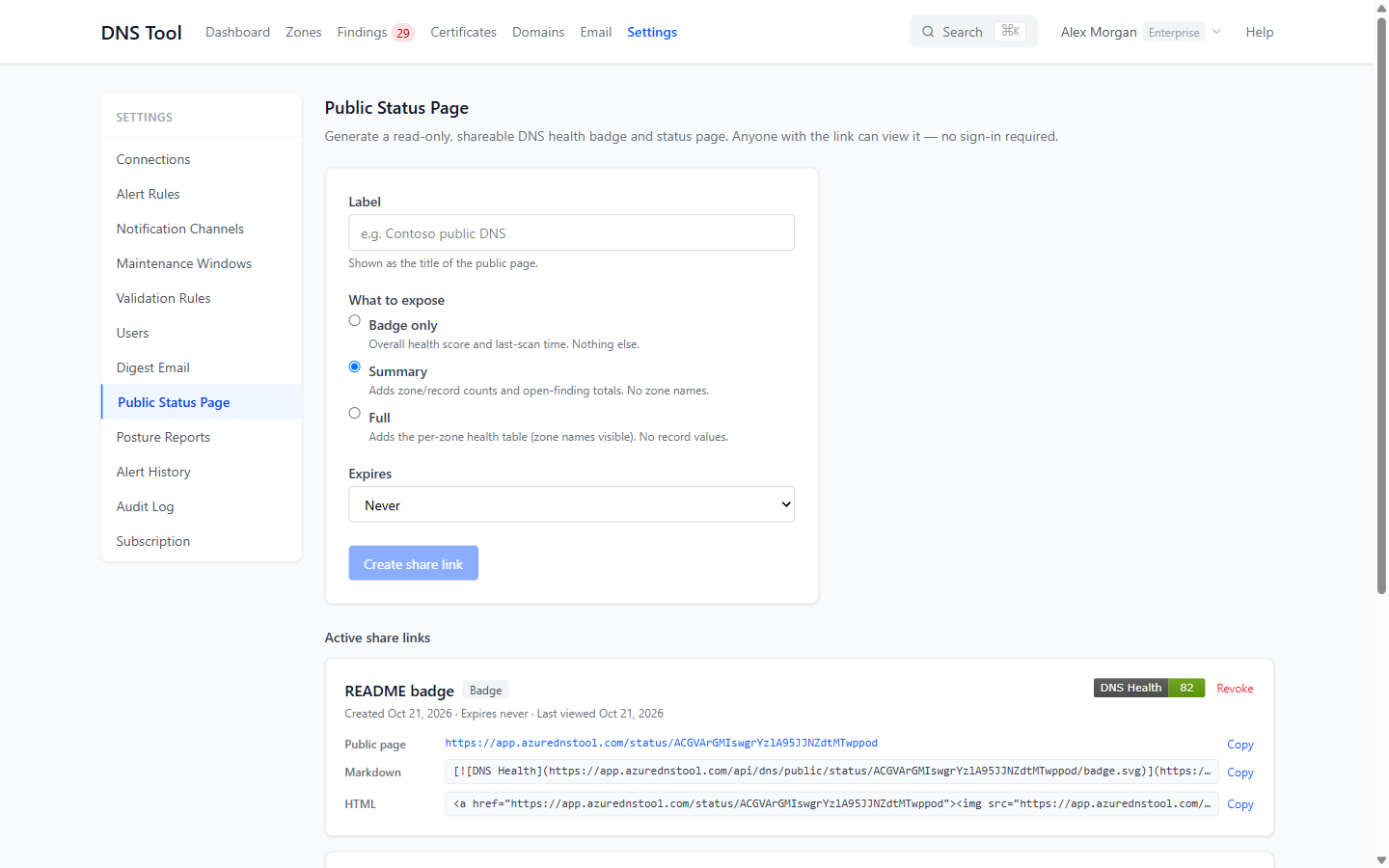
- Enter a Label — it becomes the page's title.
- Choose What to expose:
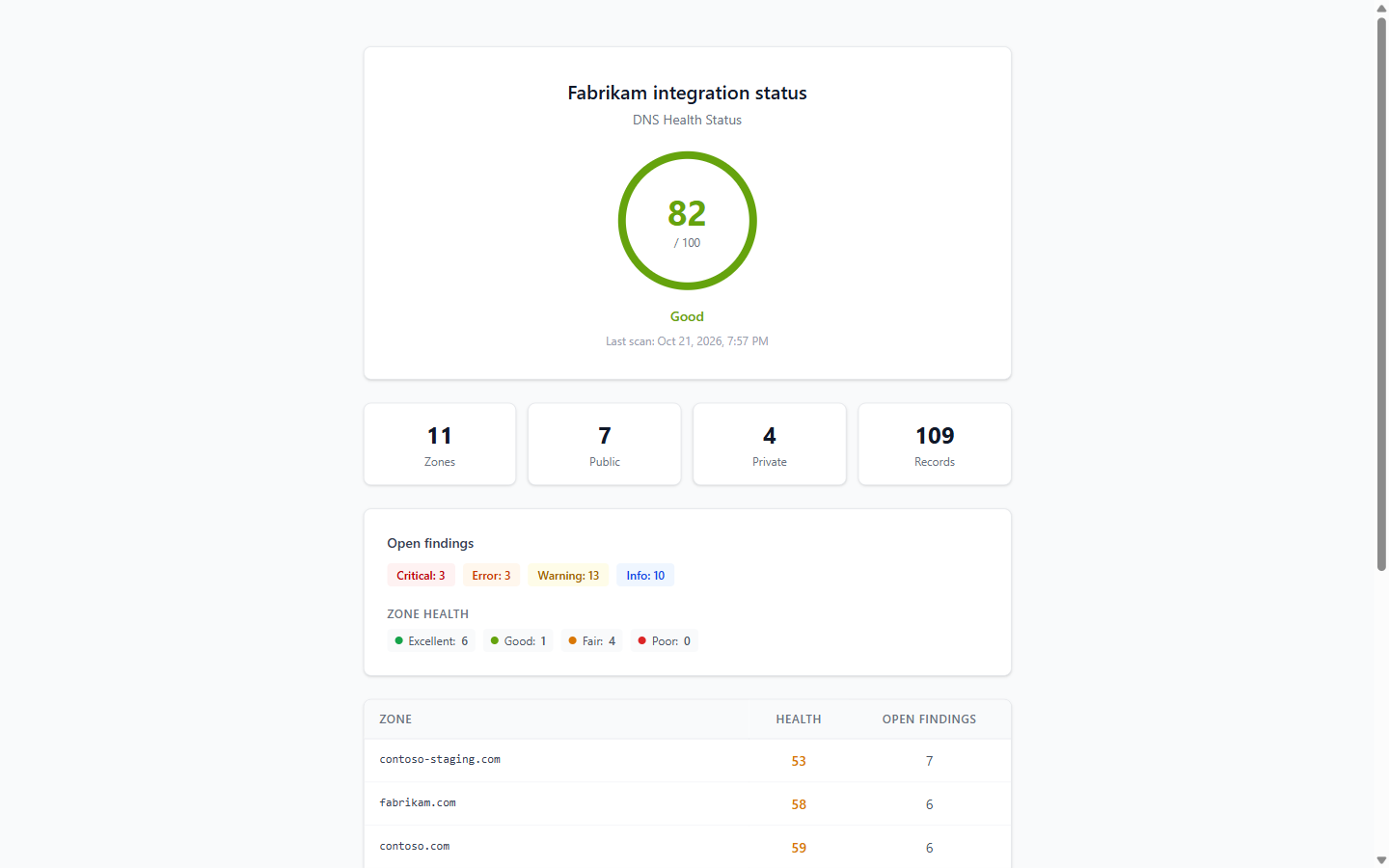
- Badge only — the overall health score and the time of the last scan. Nothing else.
- Summary — adds the number of zones and records and the open findings by severity. No zone names.
- Full — adds a health table per zone, with zone names. Record values are never shown.
- Choose when it Expires: never, or after 30 days, 90 days or a year.
- Choose Create share link.
Each active link shows its live badge, the Public page address, and ready-to-paste Markdown and HTML for the badge. Revoke stops the page and badge working immediately. Hidden zones are never shown.
Posture reports
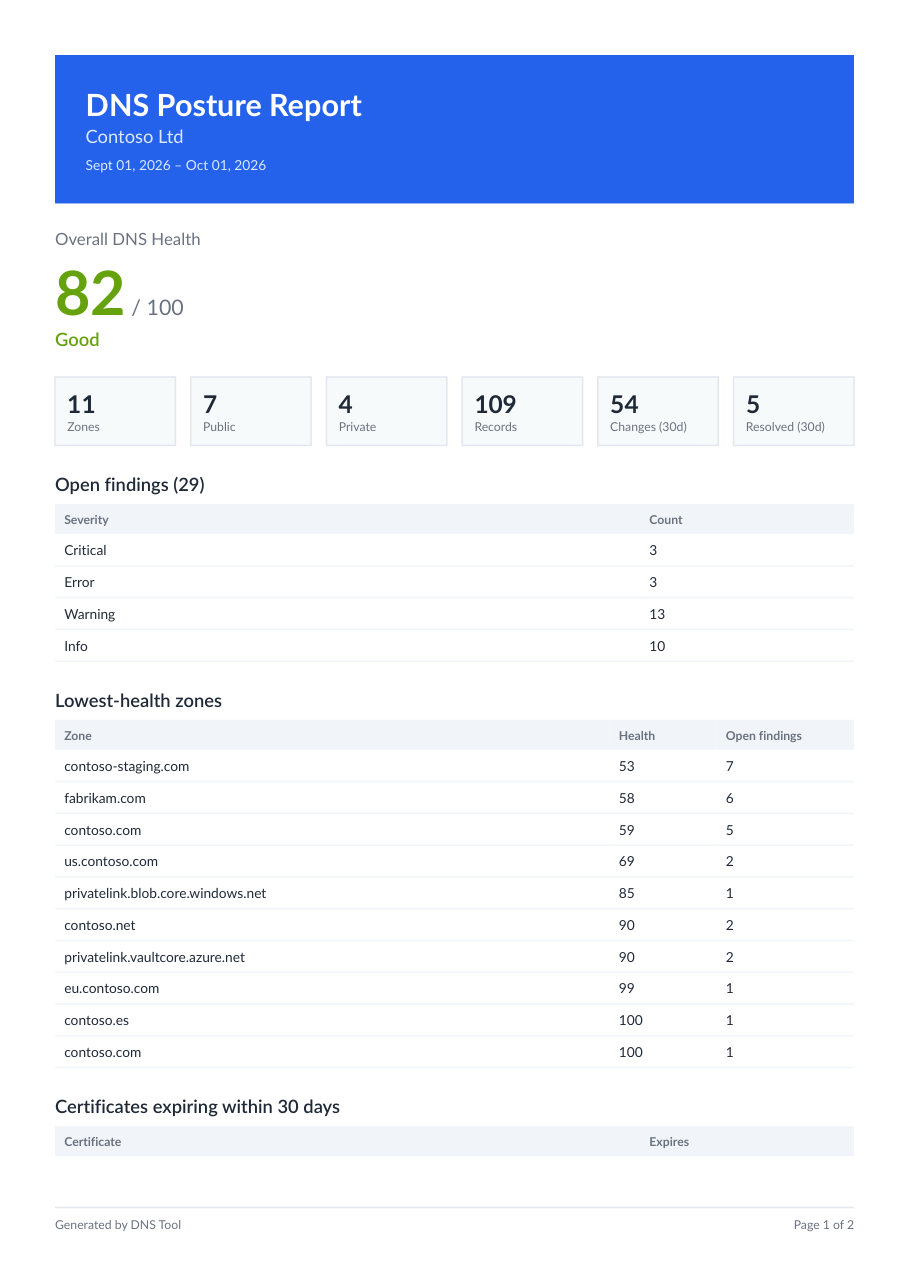
On Pro and Enterprise, DNS Tool can email a branded PDF posture report each month: overall health, zone and record counts, changes and resolved findings in the period, open findings by severity, the zones with the lowest health, and certificates and domains about to expire.
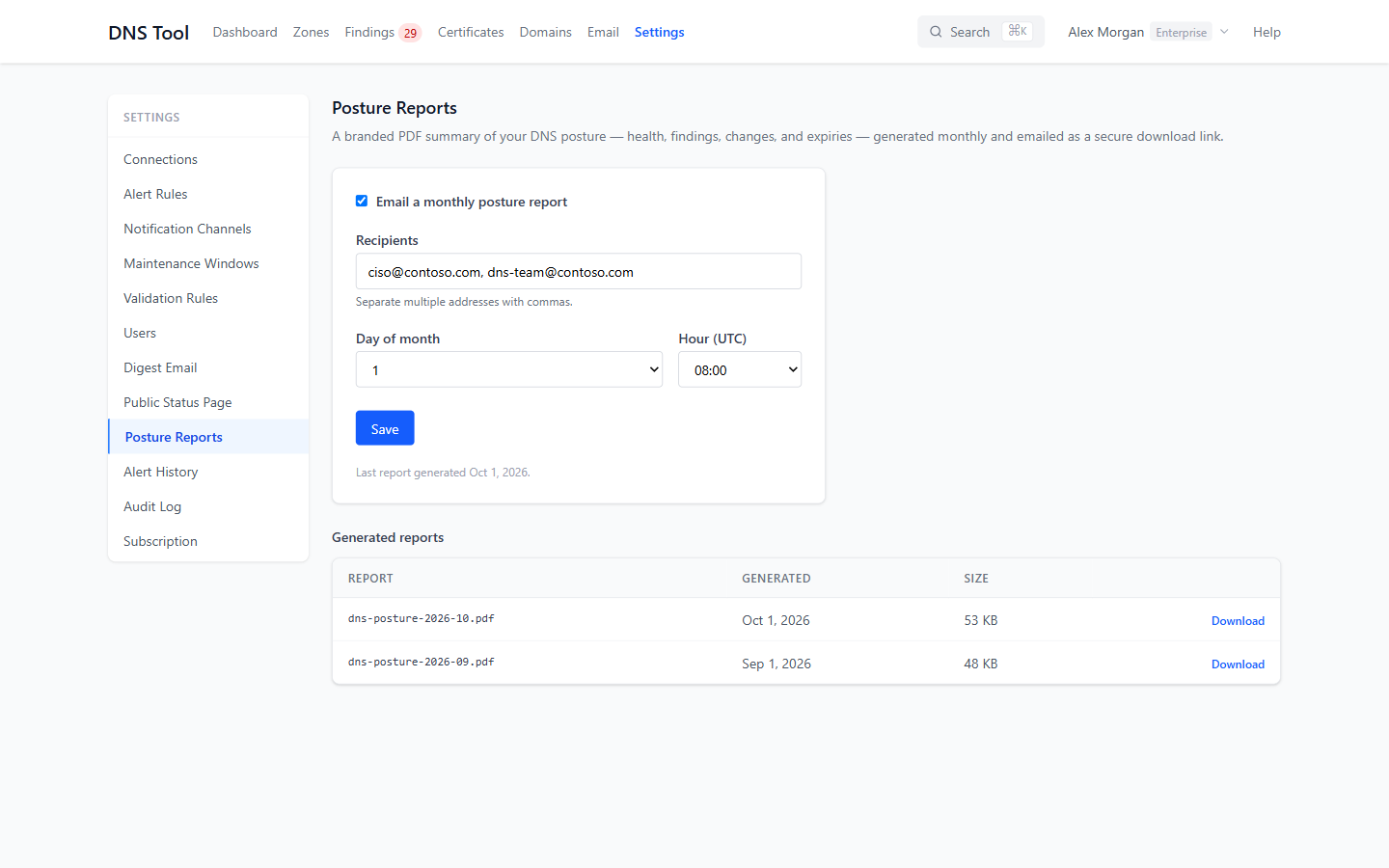
Under Settings → Posture Reports, tick Email a monthly posture report, enter the Recipients separated by commas, and choose the Day of month and Hour (UTC). Recipients receive a secure download link rather than an attachment. Every report generated is listed under Generated reports, where it can be downloaded again. The first report is generated within an hour of turning reports on; after that, on your chosen day.
Changing the settings needs the Admin or Owner role.